Free account: what's included
A free useArtemis account needs no card and has no time limit: Discover, lists, CSV import and the AI agent, with daily limits. Here's what a subscription adds.
Updated October 27, 2026
On this page
A free useArtemis account costs nothing, has no time limit and doesn't need a card. It includes Discover, your lead lists, CSV import, the AI agent and campaign drafts, with daily limits. Finding emails, connecting LinkedIn or a mailbox and launching campaigns come with a subscription, which you can start whenever you're ready.
Create your free account
- Go to https://useartemis.co/register. The page also exists in French and Spanish.
- Fill in First name, Last name, Work email and Password, then click Create account. You can also click Continue with Google.
- Answer the five questions on Tell us a bit about you, then click Continue. The questions are in the language of the page you signed up on.
- The app opens right away, with no checkout. Where it opens depends on your answer to What do you want to do with useArtemis?:
- Find new leads: Discover, to search people and companies.
- Get verified emails: Prospects, with the Import leads window open so you can upload a CSV file.
- Book meetings on autopilot or All of the above: the AI agent.
What's included
- Discover: search people and companies, and save the people you find to lists. See Find leads with Discover.
- Lead lists: import your own leads from a CSV file and organize your lists. See Import leads from a CSV file.
- AI agent: describe who you sell to, and it proposes targets, finds the people, saves them to a list and prepares your LinkedIn campaign. See Get started with the AI agent.
- Campaign drafts: create campaigns, write their steps and set them up. They stay saved, ready to launch once you subscribe.
A free account has 0 credits.
Daily limits
| Free account | |
|---|---|
| Discover searches | 30 a day |
| Messages to the AI agent | 15 a day |
- A search on the People or Companies tab of Discover counts as one. Loading another page of results, in Discover or in a lead table of the AI agent, counts as a search too. Opening a person's profile or a company, and saving results to a list, don't count.
- The counters reset every day at midnight, Paris time.
- When you reach a limit, a window opens: You've reached today's free limit. It tells you which limit you reached, with Subscribe now and Compare plans. Click Not now to close it: you can keep using the rest of the app.
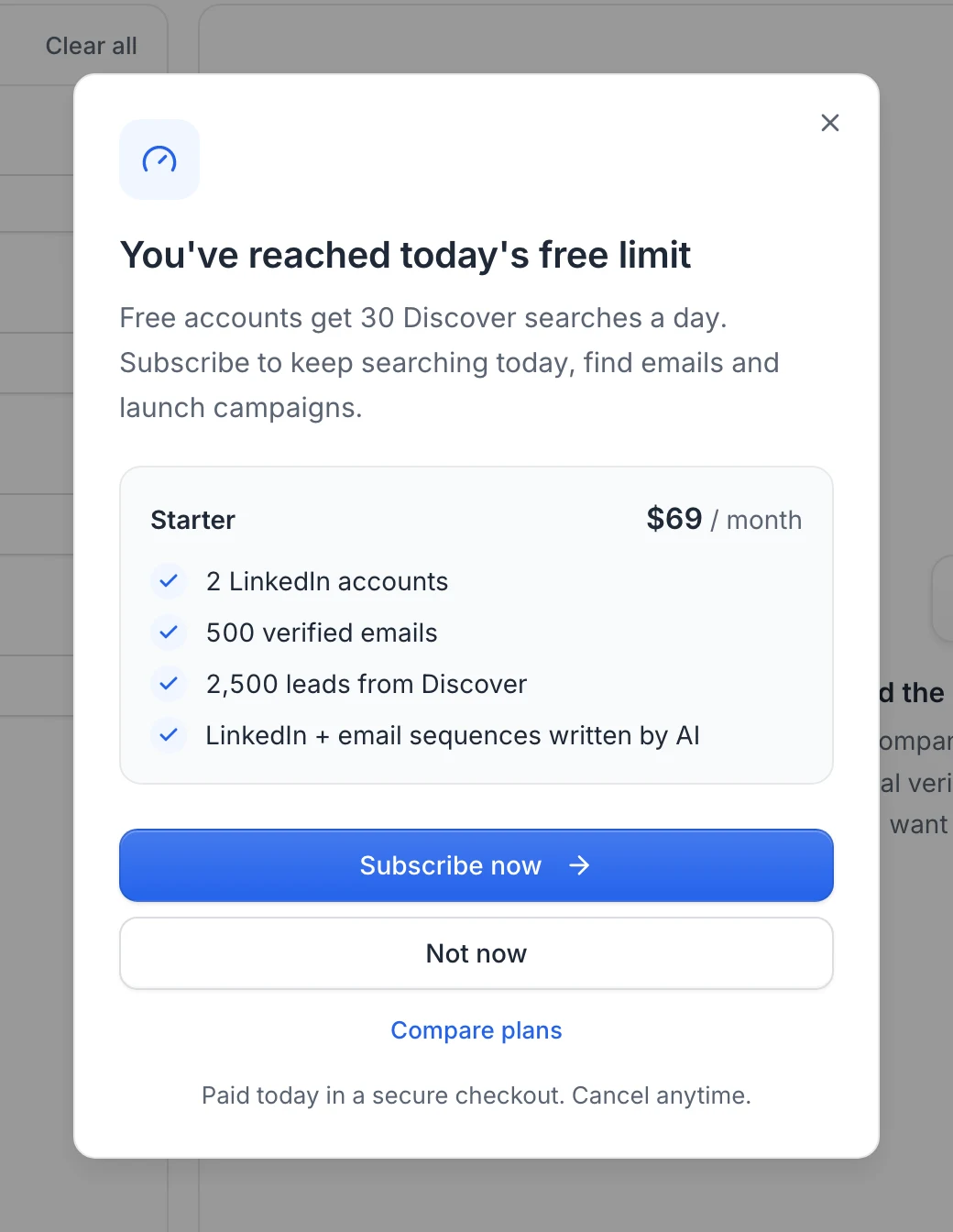
These daily limits only apply to free accounts.
What comes with a subscription
- Finding and verifying emails: Find emails on a list, Reveal in Discover and in the AI agent, the Finder, the Verifier, the Chrome extension and the API. They use credits, and your plan's credits arrive with your first payment.
- Connecting LinkedIn accounts: Settings › LinkedIn accounts shows LinkedIn comes with your subscription, with a Subscribe button.
- Connecting mailboxes (Gmail, Outlook or SMTP): on a free account, the connection is refused with Connecting a mailbox comes with a subscription. Subscribe to connect it and launch your campaigns., and the Subscribe to connect your mailbox window opens.
- Launching campaigns: your campaign stays saved as a draft.
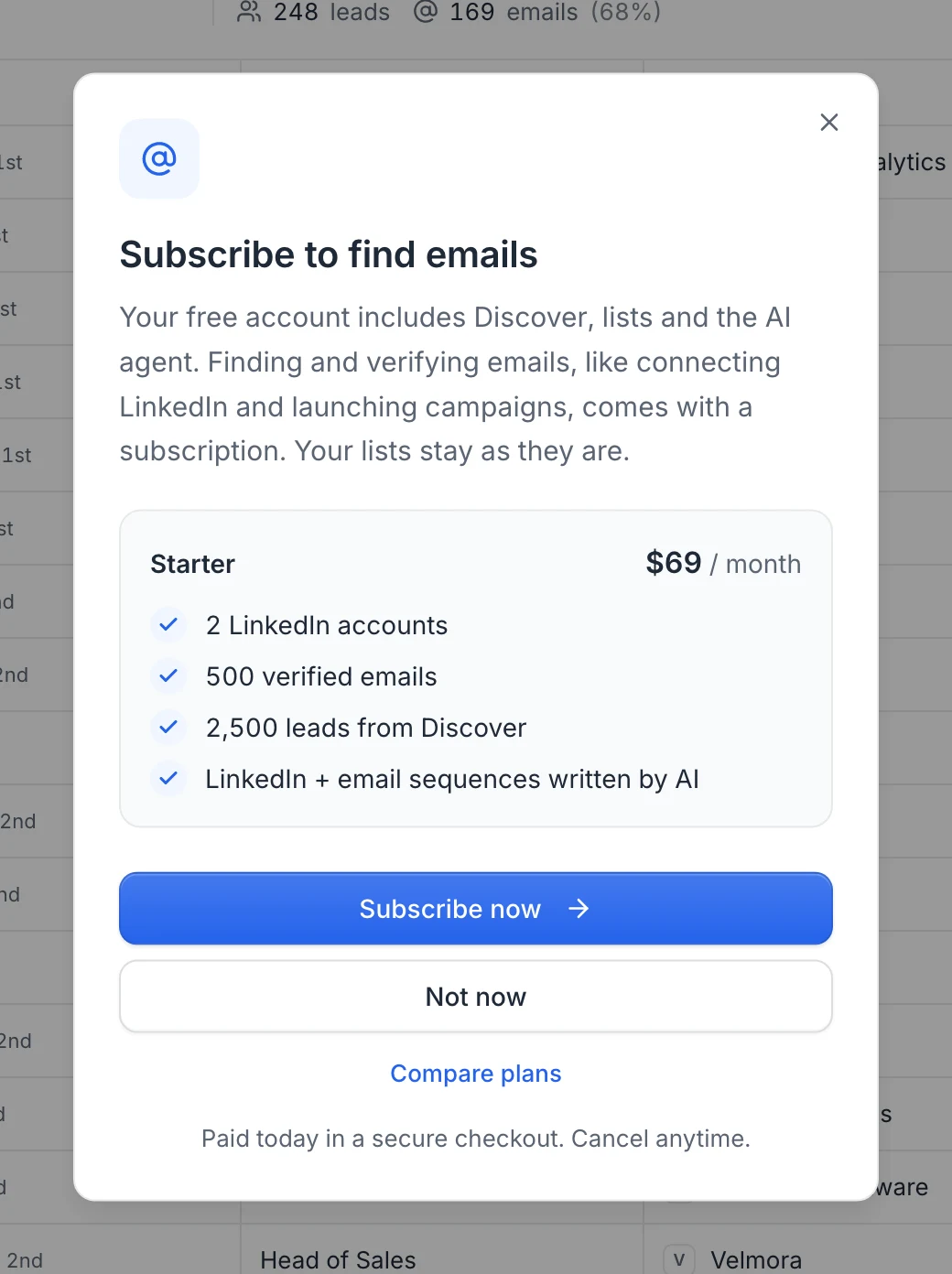
When you find emails, connect LinkedIn or launch a campaign, a window opens: Subscribe to find emails (or Subscribe to connect LinkedIn, Subscribe to launch your campaign). It shows the Starter plan at $69 per month and three choices:
- Subscribe now opens the checkout of the Starter plan.
- Compare plans opens the pricing page, to pick Scale or Agency instead.
- Not now closes the window. Everything you've prepared stays as it is.
Find your way on a free account
A thin bar at the top of the app reminds you what's free: Free account. Discover, lists and the AI agent are free. Subscribe to find emails, connect LinkedIn and launch campaigns. Click Subscribe in the bar to open the subscribe window.

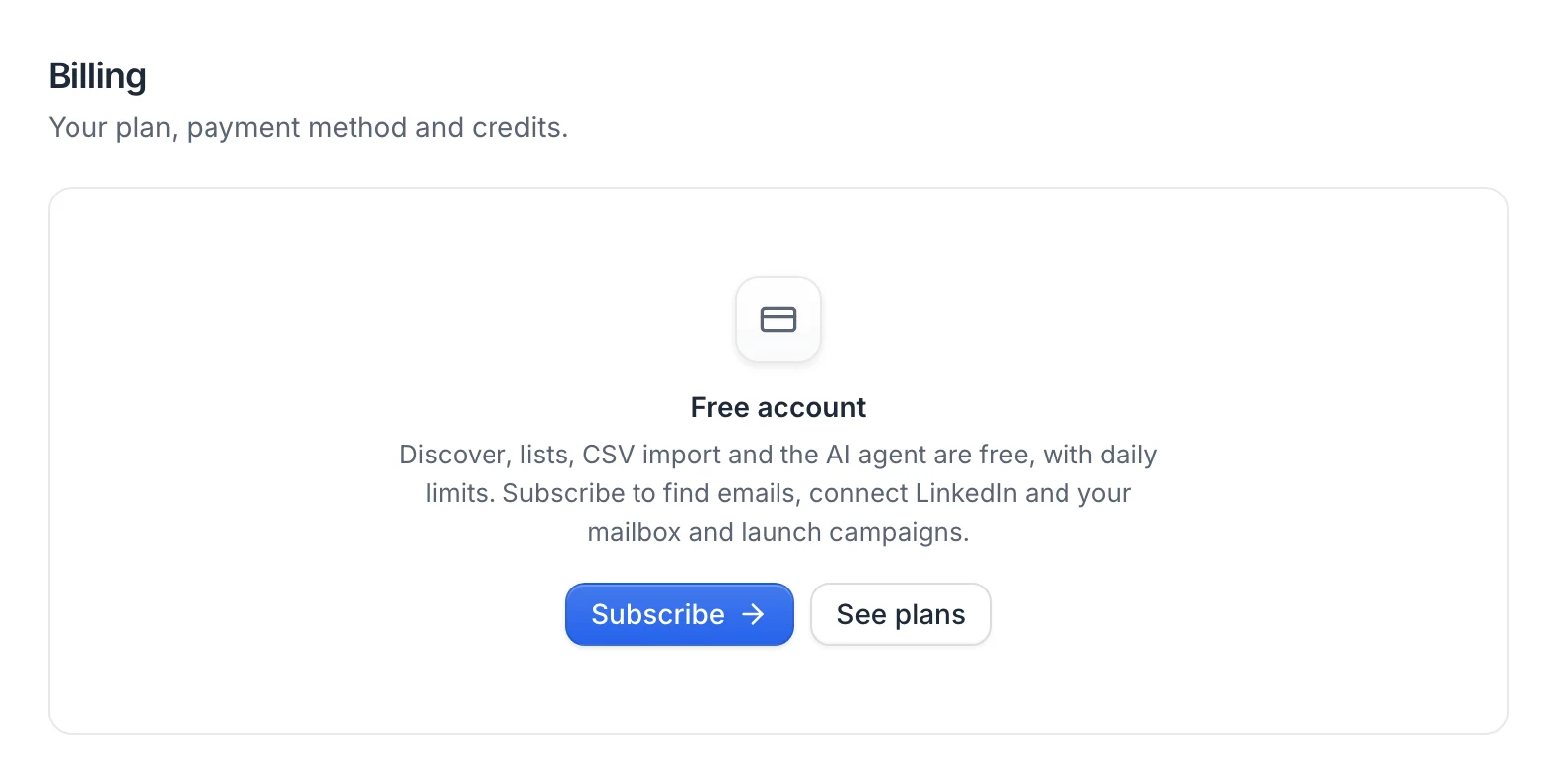
In Settings › Billing, a Free account card sums up what's included, with Subscribe and See plans.
Subscribe
- Click Subscribe in the bar at the top of the app or in Settings › Billing, or use the window that opens when you find emails, connect LinkedIn or launch a campaign.
- Click Subscribe now. The secure Paddle checkout opens on the Starter plan ($69 per month), with your email filled in. To pick another plan, click Compare plans instead and Get started on the plan you want.
- Enter your payment details and confirm. You pay your first month today, and you can cancel anytime.
- You see Payment confirmed. Opening your account…, then the app opens on your subscription.
The checkout that opens from the app, and Paddle's payment form in it, are in the language you signed up in: English, French or Spanish.
Your plan's monthly credits are added with the payment, so you can find emails, connect LinkedIn and launch your campaigns right away. The free account bar disappears. See Plans and credits.
Emails after you sign up
While you're on a free account, we send you three emails, in the language you signed up in:
- Day 1: how to find your first leads with the AI agent.
- Day 3: what a subscription adds (verified emails, LinkedIn, launching campaigns).
- Day 7: a note from Samuel, the founder, asking what's missing for you.
They stop as soon as you subscribe. Each email has an Unsubscribe link at the bottom: one click stops them, without logging in. Emails about your account and your payments still arrive.
After a cancellation
If you cancel your subscription, the paid features stop right away and your account becomes a free account again: Discover, lists, the AI agent and campaign drafts, with the daily limits above. See Cancel your subscription.
Subscriptions started on the former 7-day free trial before October 27, 2026 keep running until their first payment, and Start subscription now in Settings › Billing still lets them pay right away.
FAQ
Do I need a card to create an account?
No. You create your account with your email or Google, and you only enter payment details when you subscribe.
How long can I use the free account?
As long as you want. There's no time limit, only the daily limits on Discover searches and AI agent messages.
Can I find emails on a free account?
No. Finding and verifying emails use credits, and a free account has none. Your plan's credits arrive with your first payment when you subscribe.
Can I prepare a campaign before paying?
Yes. Find leads, build your lists and write your campaign, alone or with the AI agent. Connecting LinkedIn or a mailbox and launching come with your subscription, and everything you've prepared stays as it is.
I'm a member of a team. Do the free limits apply to me?
Not when the owner of one of your teams has a paid subscription: you work in the team without daily limits. See Work as a team.
Was this article helpful?
Related articles
Still need help?
Write to hello@useartemis.co with your account email and what you were trying to do.