Cancel your subscription
Cancel from Settings › Billing in a few clicks. Paid access ends right away and your account becomes a free account: what stops and what you keep.
Updated October 27, 2026
You can cancel your subscription yourself in Settings › Billing. Cancelling stops all future payments and ends your paid access immediately, not at the end of the month: your campaigns are paused, your LinkedIn accounts are disconnected from useArtemis and your credits go to 0. Your account becomes a free account, so you keep Discover, your lists and the AI agent.
Cancel your subscription
Open Settings › Billing (https://app.useartemis.co/settings/billing).
Click Cancel subscription, at the bottom left of your plan.
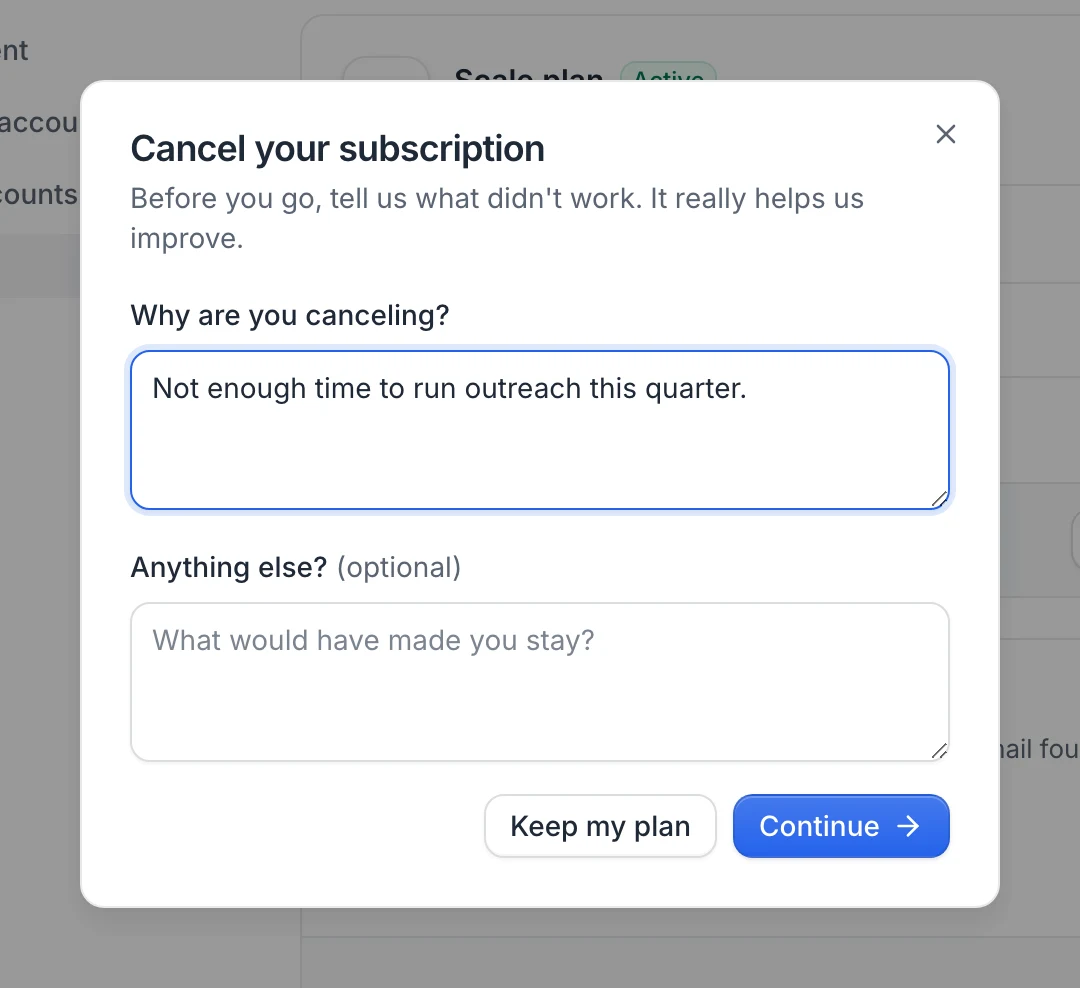
Tell us why under Why are you canceling? (required) and, if you like, add a comment under Anything else?. Click Continue.
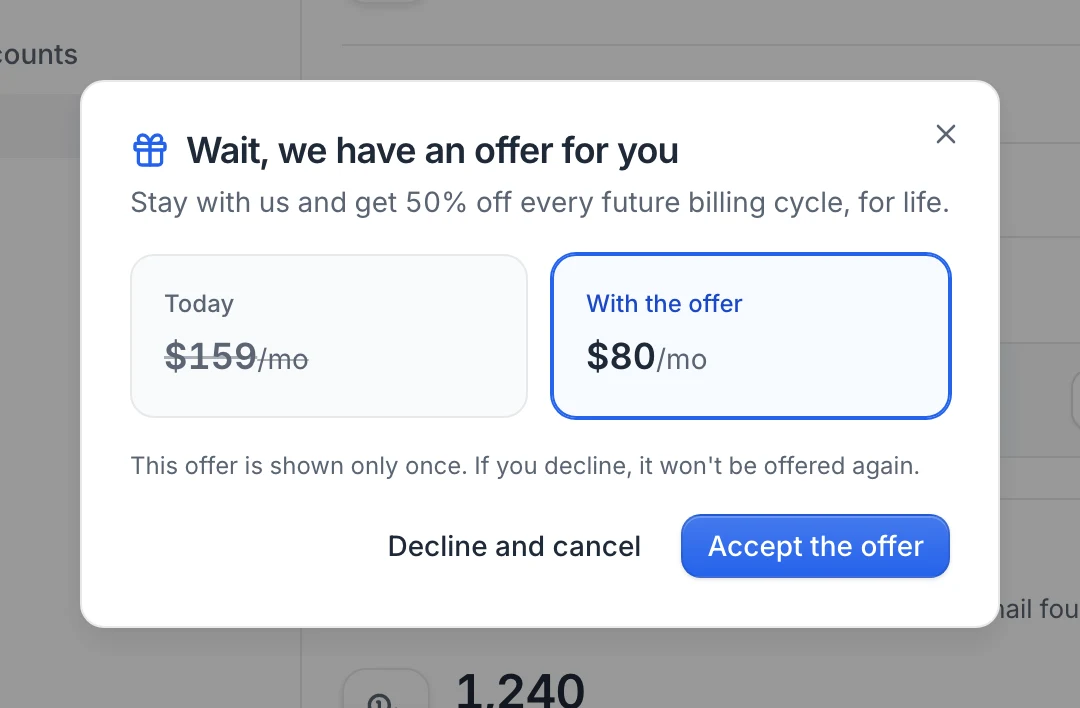
You may be shown a one-time offer to stay (Wait, we have an offer for you). Click Accept the offer to keep your subscription with the offer, or Decline and cancel to cancel now. The offer is only shown once.
Otherwise, a last screen sums up what happens. Click Cancel subscription to confirm, or Keep my plan to change your mind.
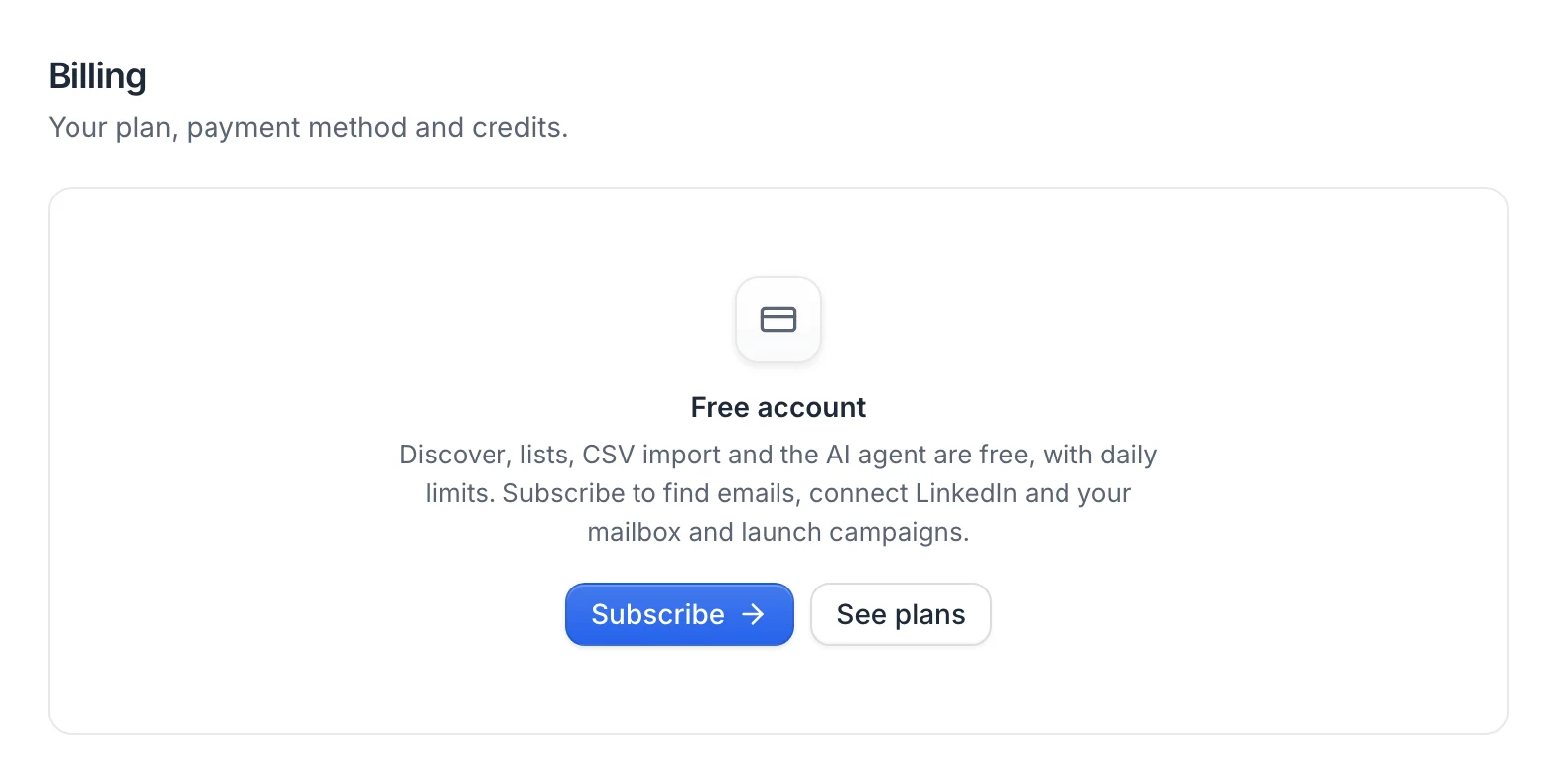
A Subscription canceled notice confirms that your access has ended and you won't be charged again. Settings › Billing then shows a Free account card, and a bar at the top of the app shows Free account. with a Subscribe button.
If you can't see Cancel subscription, your subscription details couldn't be loaded or the subscription is already cancelled. Email hello@useartemis.co from the address of your account and we'll cancel it for you.
What happens when you cancel
Right away:
- No more payments.
- Campaigns are paused. Running campaigns stop sending.
- LinkedIn accounts are disconnected from useArtemis. Nothing changes on your LinkedIn account itself. Automatic AI replies stop as well.
- Credits go to 0.
- Teams you own are deactivated, so their members can't use them anymore.
- Your account becomes a free account. You keep Discover, your lists, CSV import, the AI agent and campaign drafts, with the free daily limits. Finding emails, connecting LinkedIn or a mailbox and launching campaigns need a subscription again. See Free account: what's included.
Cancelling doesn't delete your lists, leads or campaigns.
If your subscription is cancelled through Paddle instead (for example with a cancel link from Paddle), the effect is the same.
Warning: Cancelling only stops future payments. The current month isn't refunded automatically. For a billing question, email hello@useartemis.co.
Come back later
You can subscribe again whenever you want.
- Click Subscribe in the bar at the top of the app or in Settings › Billing, then Subscribe now for the Starter plan. For another plan, go to https://useartemis.co/pricing and click Get started on it.
- Pay in the Paddle checkout. Your plan and its monthly credits come back with the payment.
- Go to LinkedIn accounts and reconnect your accounts. Your campaigns keep using the same accounts once they're reconnected. See Reconnect a LinkedIn account.
- Resume your campaigns from Campaigns. See Pause and resume a campaign.
Teams you owned stay deactivated after you subscribe again. Email hello@useartemis.co and we'll turn them back on.
FAQ
Can I keep using useArtemis until the end of the month I paid for?
No. Paid access ends as soon as the subscription is cancelled, whatever the date.
Is my data deleted when I cancel?
No. Your lists, leads and campaigns stay in your account, and you can still open them on the free account. Your campaigns stay paused until you subscribe again.
Can I keep using useArtemis for free after cancelling?
Yes. Your account becomes a free account: Discover, lists, the AI agent and campaign drafts, with daily limits. See Free account: what's included.
Was this article helpful?
Related articles
Still need help?
Write to hello@useartemis.co with your account email and what you were trying to do.