Change your plan
Move to another plan from Settings › Billing: how the switch works through the Paddle checkout, what happens to your credits, and when to contact us.
Updated October 27, 2026
On this page
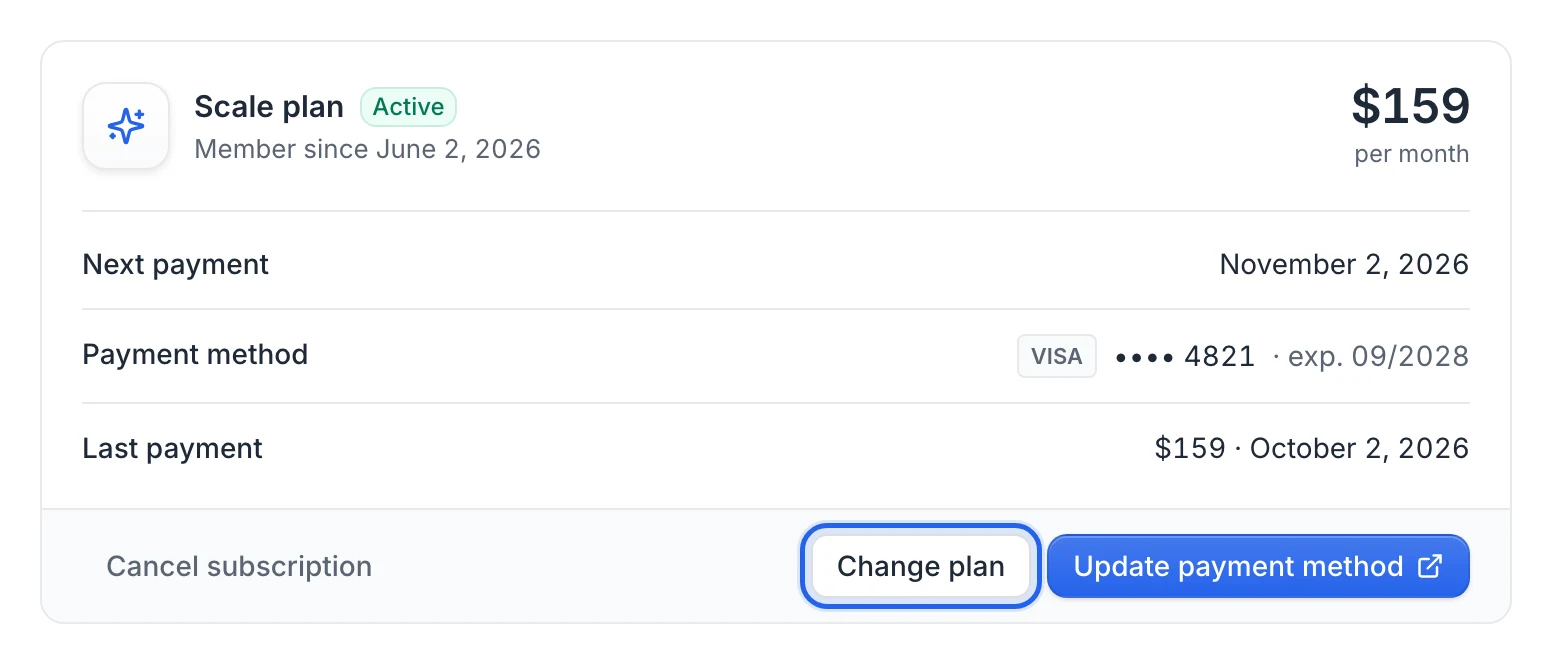
To change plan, click Change plan in Settings › Billing, pick the new plan on the pricing page and pay for it in the Paddle checkout. The checkout starts a new subscription and your account switches to the new plan as soon as the payment is confirmed. Your previous subscription isn't cancelled automatically, so write to us to close it.
Switch to another plan
Open Settings › Billing (https://app.useartemis.co/settings/billing).
Click Change plan. The pricing page opens in a new tab. Your plan is marked Your current plan, with a Manage your plan button that brings you back to the app.
On the plan you want, click Get started.
The Paddle checkout opens on that plan. It shows the amount due today and the renewal price per month, taxes included.
Enter your payment details and confirm. You see Payment confirmed. Opening your account…, then the app opens. Your new plan shows as soon as Paddle confirms the payment.
Warning: Checking out a new plan creates a new subscription. Your previous subscription keeps running in Paddle, and the Cancel subscription button in Settings › Billing now applies to the new plan. Email hello@useartemis.co right after switching so we cancel the old subscription and you aren't billed twice. You can also write to us before switching and we'll handle it with you.
What changes when you switch
- Billing: the new plan's price is charged at checkout, then every month.
- Credits: the first payment of the new plan adds that plan's monthly credits to your balance; the credits you have left are kept. See Plans and credits.
- Your work: lists, campaigns, connected LinkedIn accounts and mailboxes stay as they are. Changing plan doesn't pause or disconnect anything.
- Settings › Billing: shows the new plan's name, price and next payment date.
From a free account
A free account has no plan to change: subscribe instead. Click Subscribe in the bar at the top of the app, then Subscribe now for Starter, or Compare plans to open the pricing page and click Get started on Scale or Agency. You pay the first month in the checkout. See Free account: what's included.
From AppSumo Lifetime
On an AppSumo Lifetime account, Settings › Billing shows Upgrade to a subscription instead of Change plan. Read Redeem and stack your AppSumo code before you subscribe: your account moves from Lifetime to the subscription plan.
FAQ
Can I downgrade to a smaller plan?
Yes, the same way: Change plan, then Get started on the smaller plan. Then ask us to cancel the previous subscription. Its first payment adds the smaller plan's monthly credits to your balance.
Can I pay yearly or get more LinkedIn accounts?
Annual billing and custom volumes aren't available from the checkout. Email hello@useartemis.co.
I paid for a new plan but the app still shows the old one
The switch happens when Paddle confirms the payment, which can take a few seconds. Reload the page. If it still shows the old plan, email hello@useartemis.co with the address you used at checkout.
Was this article helpful?
Related articles
Still need help?
Write to hello@useartemis.co with your account email and what you were trying to do.