Redeem and stack your AppSumo code
Activate your AppSumo code to create your useArtemis account, stack more codes for extra credits, and see what the Lifetime plan includes and doesn't.
Updated October 27, 2026
If you bought useArtemis on AppSumo, redeem your code on https://useartemis.co/appsumo: it creates your account on the AppSumo Lifetime plan with 7,000 credits. Each extra code you stack adds 7,000 credits. Lifetime covers the prospecting tools; campaigns, LinkedIn automation and Discover need a subscription.
Redeem your code
- Go to https://useartemis.co/appsumo (Redeem your AppSumo code).
- Paste your code in AppSumo code, exactly as you received it from AppSumo.
- Fill in First name, Last name, Work email and Password.
- Click Redeem code and create account. The app opens on your new account.
Each code can be used only once. If something is wrong, the page tells you:
- Code invalid or has already been used: check the code (no extra spaces) or use another one.
- Email has already been taken: this page creates a new account, so use an email that doesn't have a useArtemis account yet. To add a code to an existing AppSumo account, stack it (see below). If you already have a regular account, email hello@useartemis.co.
Stack more codes
- Log in and open Settings › Billing.
- Under Stack another AppSumo code, paste the code.
- Click Stack.
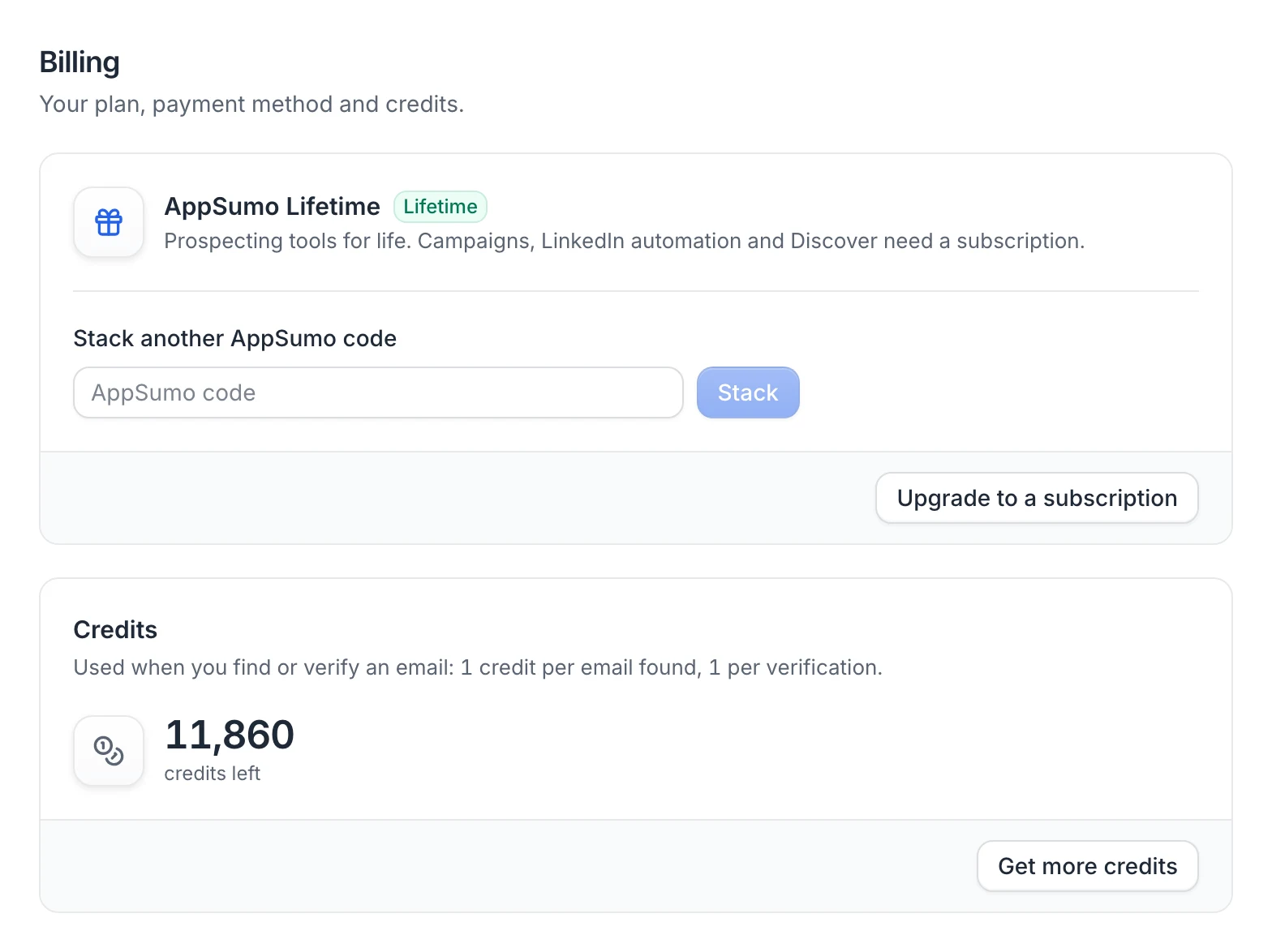
You see Code added. Refresh the page to see your new credits: each code adds 7,000 credits to your balance. If the code can't be used, you see Couldn't add this code with the reason (for example Code already used or invalid).
What Lifetime includes
In Settings › Billing, your plan shows as AppSumo Lifetime: "Prospecting tools for life. Campaigns, LinkedIn automation and Discover need a subscription."
Included:
- Prospects: your lead lists. See Ways to add leads.
- Finder and Verifier: find and verify professional emails with your credits (1 credit per email found, 1 per verification). See Find an email.
Not included (these items have a lock in the sidebar):
- Discover: the page shows Discover isn't available on your plan.
- AI agent: the page shows The AI agent isn't available on your plan.
- Campaigns and Queue: the pages show Campaigns aren't available on your plan.
- LinkedIn accounts: you can't connect a LinkedIn account (LinkedIn automation isn't included in your plan), in the app or with the Chrome extension. As a result, the Inbox doesn't receive LinkedIn conversations.
- Write with AI in the inbox.
- Find email in the Chrome extension: the panel shows Email reveals aren't available on AppSumo Lifetime plans. You can still save LinkedIn profiles to your lists with it (see Find emails on LinkedIn with the Chrome extension).
- Export this search in the Chrome extension: the panel shows Exporting LinkedIn searches isn't available on AppSumo Lifetime plans.
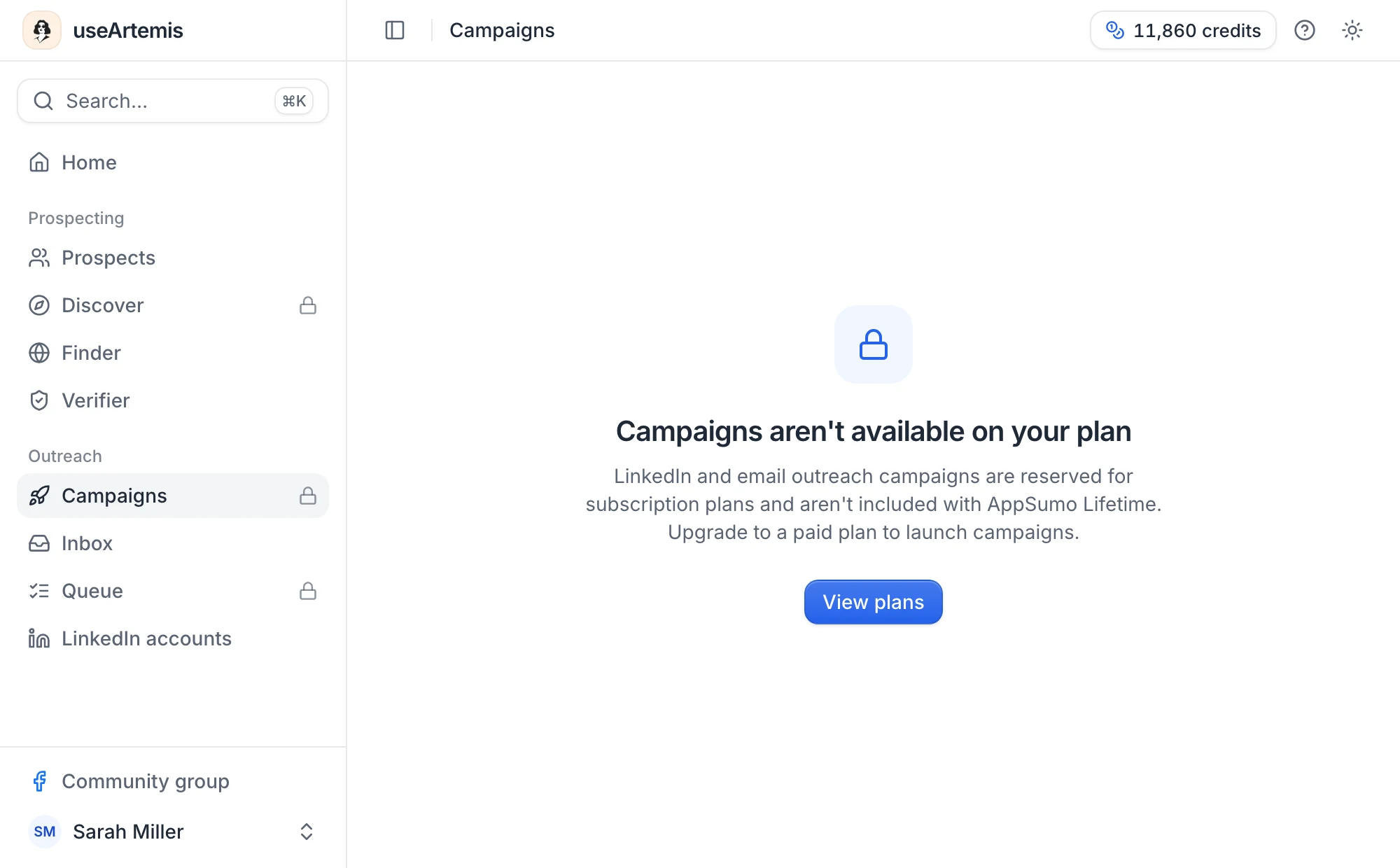
Move to a subscription
To use campaigns, LinkedIn, Discover and the AI agent, click Upgrade to a subscription in Settings › Billing and pick a plan on the pricing page. You pay the first month in the checkout.
Warning: Subscribing replaces your Lifetime plan. Your account switches to the subscription plan, and its first payment sets your credit balance to that plan's monthly credits, replacing the credits from your codes. If you cancel the subscription later, the account doesn't go back to Lifetime: it becomes a free account with 0 credits (see Free account: what's included). Email hello@useartemis.co before subscribing if you have questions.
FAQ
Is the Facebook scraper included in the AppSumo deal?
No. useArtemis no longer has a Facebook scraper, on any plan.
Can I redeem my code on an account I already have?
The redemption page always creates a new account. If your existing account is already on AppSumo Lifetime, stack the code from Settings › Billing. Otherwise, email hello@useartemis.co.
How many codes can I stack?
The app doesn't set a limit: each valid, unused code adds 7,000 credits.
What happens if I refund my code on AppSumo?
When we process a refund from AppSumo, the account linked to that code loses the Lifetime plan and its credits.
Was this article helpful?
Related articles
Still need help?
Write to hello@useartemis.co with your account email and what you were trying to do.