Free email verifier
Check if an email address exists before you send. We test the domain and the mailbox with the mail server, without sending an email.
10 free checks a day with a free account · by useArtemis
Your result will appear here
Type an address and click Verify. You'll see if it exists and what each check found.
How it works
How we check if an email address exists
Each check runs the same steps as the Verifier in useArtemis, in a few seconds. No email is sent, and the person isn't notified.
1.Syntax
We check that the address is written correctly: one @, a valid name and a real domain format. Typos such as a missing @ or a space are caught here.
2.Domain and MX records
We look up the domain's MX records, the mail servers that receive its email. A domain without them can't receive anything.
3.Mailbox check, without sending an email
We connect to the mail server and ask whether it would accept a message for this address, then end the conversation before anything is sent.
4.Catch-all detection
Some domains accept mail for any address, even made-up ones. We detect them, because their server can't confirm a specific mailbox.
5.Disposable and role addresses
We flag temporary inboxes (disposable addresses) and shared addresses such as contact@, info@ or sales@, which rarely reach a decision-maker.
What the mailbox check looks like
Connect to mx.company.com
The domain's mail server (MX)
220 mx.company.com ready
The server answers
MAIL FROM:<verify@useartemis.co>
Who would send
RCPT TO:<jane@company.com>
The address to check
250 OK
This mailbox exists
QUIT
We hang up, nothing is sent
The conversation ends before the DATA step, so no email is ever sent.
Results
What each result means, and what to do
Every check ends with one of these five results.
Valid
What it meansThe mail server confirmed that the mailbox exists.
What to doSend to it.
Risky
What it meansThe mailbox exists, but it's a disposable or shared (role) address, or the server reported a problem such as a full mailbox.
What to doAvoid it in cold outreach, or send only if you have a reason to.
Catch-all
What it meansThe domain accepts every address, so this mailbox can't be confirmed. It may or may not exist.
What to doSend with care, in small volumes. Prefer a valid address at the same company.
Invalid
What it meansThe address can't receive email: the mailbox doesn't exist or is disabled, the domain has no mail server, or the address is badly written.
What to doDon't send: it would bounce. Find the right address with an email finder.
Unknown
What it meansThe mail server didn't give a clear answer. It may be slow, temporarily unavailable or refuse verification.
What to doTry again later.
Why verify
Why verify an email address before you send
Every email that bounces tells mailbox providers your list is out of date. A few checks before you send protect the emails that matter.
Fewer bounces
An email sent to an address that doesn't exist comes back as a hard bounce. Remove those addresses before you send and keep your bounce rate close to zero: most deliverability guides treat more than 2% as a warning sign.
A sender reputation that holds
Gmail, Outlook and other providers watch your bounces and spam complaints. With a high bounce rate, they trust your domain less, for every email you send.
Better deliverability
With a good reputation, your emails land in the inbox instead of the spam folder, including the ones you send to your customers.
Verify a whole list
Verify and find emails in bulk with useArtemis
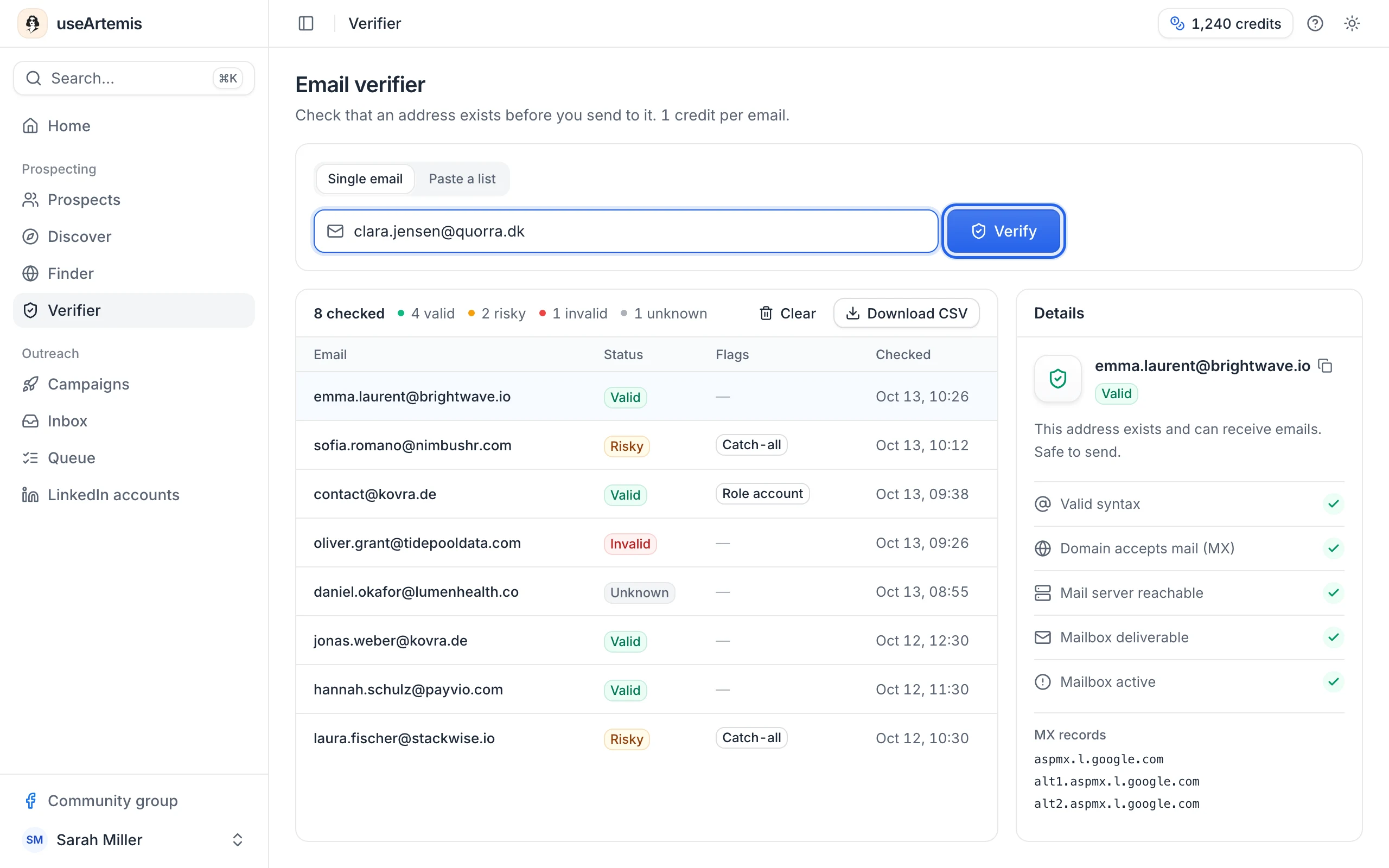
The free verifier checks one address at a time. In the useArtemis app, the Verifier checks a whole list, and the email finder gets you addresses that are already verified.
- Paste up to 50 addresses at a time in the Verifier, then download the results as a CSV
- 1 credit per address checked, whatever the result
- Emails found by useArtemis are verified before they reach your list
- Credits included in every plan: 500 to 3,000 a month
- Email finderFind a person's work email, verified in the same step.
- AI enrichmentAsk a question about each lead (ICP fit, industry, tech stack) and get the answer next to their email.
- PricingPlans from $69/month. Start with a free account, no credit card required.
- Help centerThe Verifier in the app, step by step.
FAQ
Email verifier questions
Can't find what you're looking for? Visit the help center.

Find the right people and email them with confidence
useArtemis finds your prospects, gets their verified emails and runs LinkedIn and email sequences written by AI for each lead.