How the 7-day free trial works
Try useArtemis free for 7 days with one LinkedIn account: add a card at checkout, see the trial limits, start early or cancel before you're charged.
Updated October 13, 2026
On this page
When you sign up, you start with a 7-day free trial of the Starter plan. You add a card at checkout and you're not charged during the 7 days. When the trial ends, Paddle (our payment provider) charges the Starter plan, $69 per month, automatically, unless you cancel before.
During the trial you can use all of useArtemis, campaigns included, with one LinkedIn account and reduced daily LinkedIn limits. Your subscription lifts these limits, and you can start it at any time.
Start your trial
- Create your account at https://useartemis.co/register.
- Answer the five quick questions on Tell us a bit about you, then click Continue.
- The checkout opens on the Starter plan with a 7-day free trial badge. It shows the amount due today and the date before which you won't be charged.
- Enter your card details and confirm. You see Payment confirmed. Opening your account…, then the app opens.
If you leave the checkout before the end, the app asks you to finish it the next time you open it: Start your 7-day free trial, with a Start free trial button that takes you back to the checkout, and Compare plans to see the other plans.
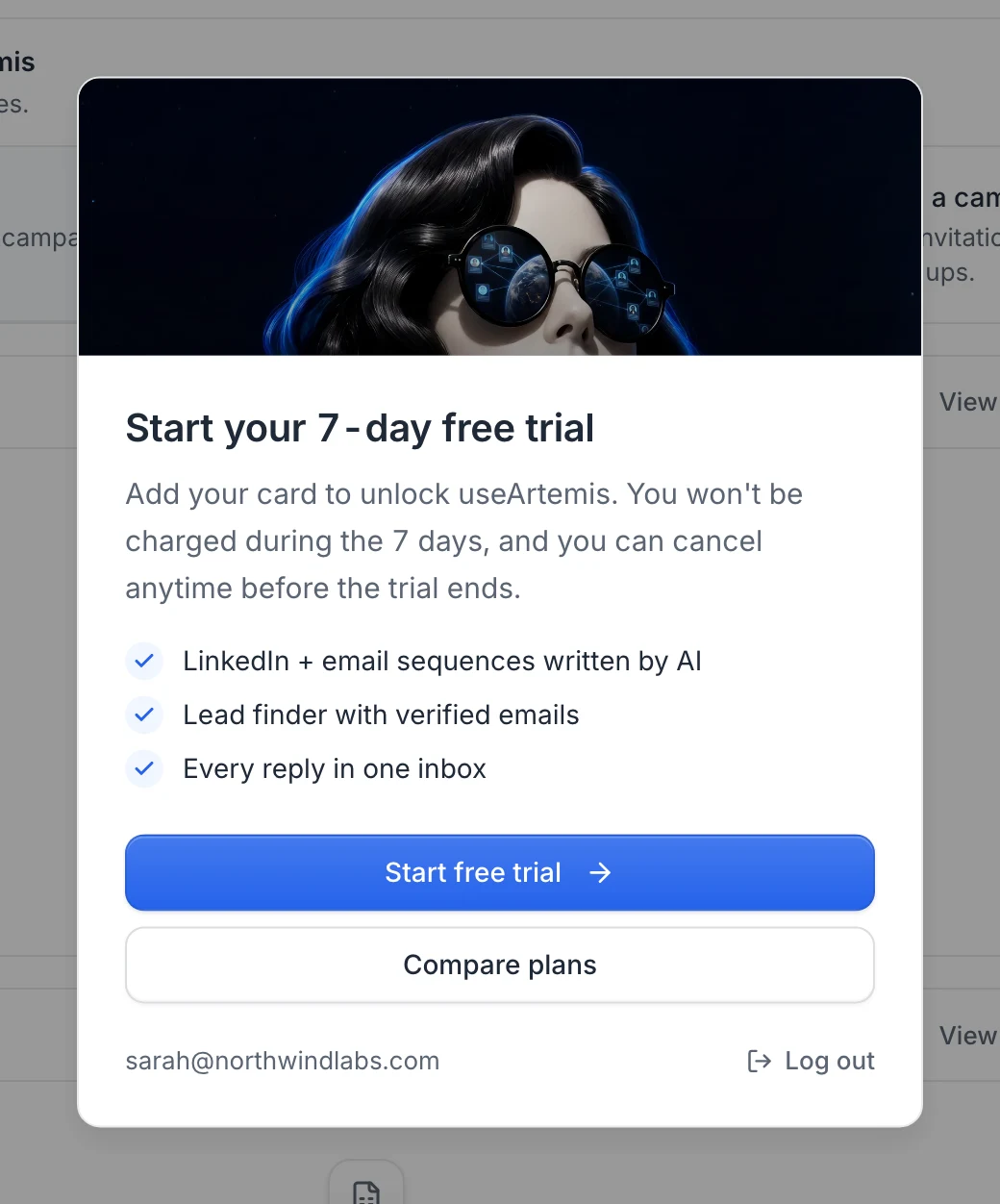
Note: A card is required to start the trial. You won't be charged during the 7 days, and you can cancel anytime before the trial ends.
Who can get the trial
The trial is for accounts that never had a subscription. If your account already had one, including a trial that was cancelled, there's no second trial: the app shows Your account is inactive with a Choose a plan button, and the pricing page shows Get started instead of Start free trial.
The trial is on the Starter plan. Scale and Agency are paid from the first day.
What's included during the trial
Everything in the app works during the trial: find leads, get verified emails, connect your LinkedIn account and your mailboxes, and launch campaigns. Two limits apply until your subscription starts:
- One LinkedIn account. Once it's connected, clicking Connect LinkedIn account opens Start your subscription to connect another LinkedIn account. Reconnecting your account doesn't count as a new one.
- Lower daily LinkedIn limits. Your account sends up to 15 connection requests, 30 messages, 40 profile visits and 20 likes a day, whatever limits you set on its card. A newly connected account also goes through its warm-up, which can make these numbers lower in the first days. See LinkedIn sending limits.
The LinkedIn accounts page reminds you of these limits with Free trial: one LinkedIn account, reduced daily limits.
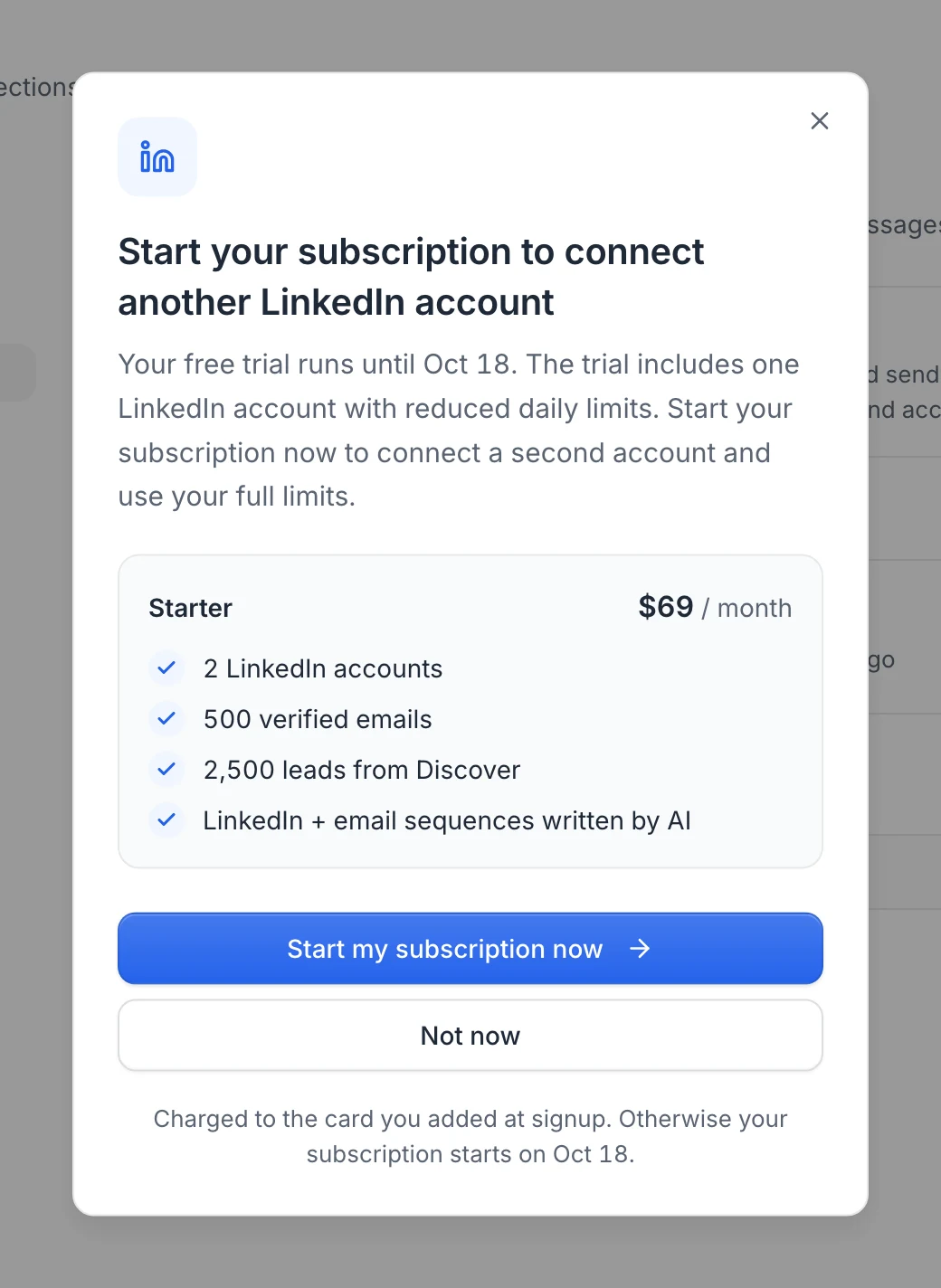
Tip: Connect LinkedIn and launch your first campaign early in the trial, so your first invitations have time to be accepted before it ends.
Follow your trial
A bar at the top of the app counts down the days (for example 5 days left in your free trial., then Last day of your free trial.). It shows the date your subscription starts and a Start now button.

In Settings › Billing, your plan appears as Starter plan with a Trial badge. Next payment is the end of your trial, the day of the first charge.
Start your subscription before the end of the trial
If you want to connect more LinkedIn accounts and use your full daily limits now, you don't have to wait for the end of the trial.
Click Start now in the bar at the top of the app. You can also click Start subscription now in Settings › Billing, or use the dialog that opens when you connect a second LinkedIn account.
Check the plan in the dialog (Starter, $69 / month) and click Start my subscription now.
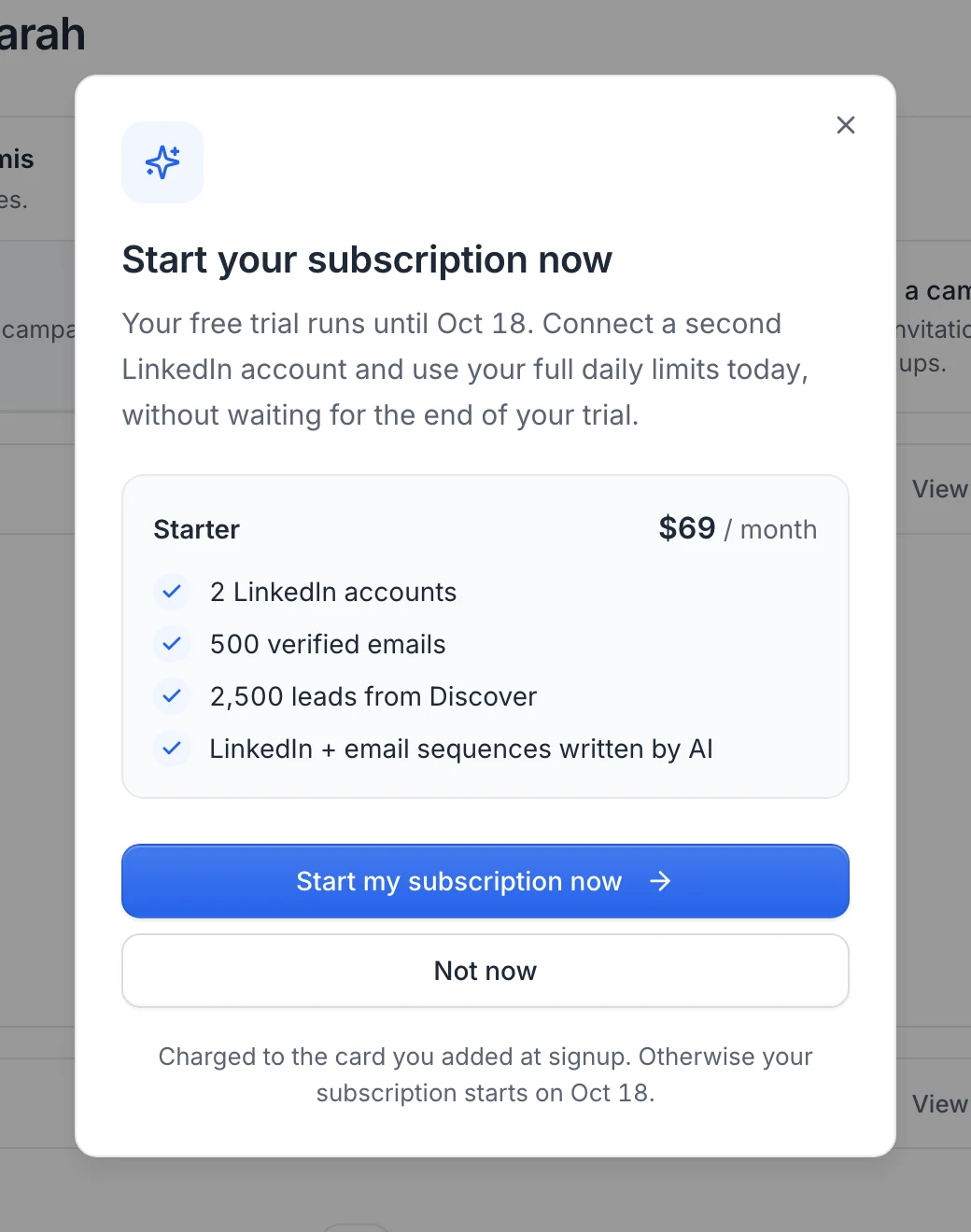
You see Your subscription has started. Click Continue.
What happens next:
- The trial limits are lifted right away: you can connect more LinkedIn accounts, and your accounts use their full daily limits within a few minutes.
- Your first payment, which was planned for the end of the trial, is moved to the next day: the card you added at signup is charged for the Starter plan within 24 hours.
- The countdown bar disappears.
If it doesn't work, the dialog shows We couldn't start your subscription. Please try again or contact us. Write to hello@useartemis.co and we'll sort it out.
When the trial ends
On the last day, Paddle charges your card for the Starter plan ($69 per month, plus taxes where they apply) and your subscription becomes active. Your credit balance is set to the Starter plan's monthly credits with that payment, and from then on you're billed every month. See Plans and credits.
If the payment fails, your access is suspended until it goes through. See Payments, invoices and failed payments.
Cancel during the trial
Go to Settings › Billing and click Cancel subscription. The trial ends immediately and you won't be charged. Your access also ends right away, not at the end of the 7 days. See Cancel your subscription.
FAQ
Do I need a card for the free trial?
Yes. Paddle takes your card at checkout and charges it only when the trial ends, or the day after you choose to start your subscription early.
Will I be charged during the 7 days?
No, unless you click Start my subscription now. In that case the first payment happens within 24 hours.
Can I connect LinkedIn and launch campaigns during the trial?
Yes. You can connect one LinkedIn account and your mailboxes and launch campaigns. A second LinkedIn account and the full daily limits come with your subscription: start it from Start now whenever you're ready.
Can I get a second free trial?
No. The trial is only for accounts that never had a subscription.
Was this article helpful?
Related articles
Still need help?
Write to hello@useartemis.co with your account email and what you were trying to do.