LinkedIn automation with a personal message for every lead
Visit profiles, send invitations and messages, and add emails, all in one sequence. The AI writes a different note and message for each lead, and your campaigns run in the cloud within safe daily limits, even with your computer off.



4.8/5 from 1,100+ reviews · 15,000+ users
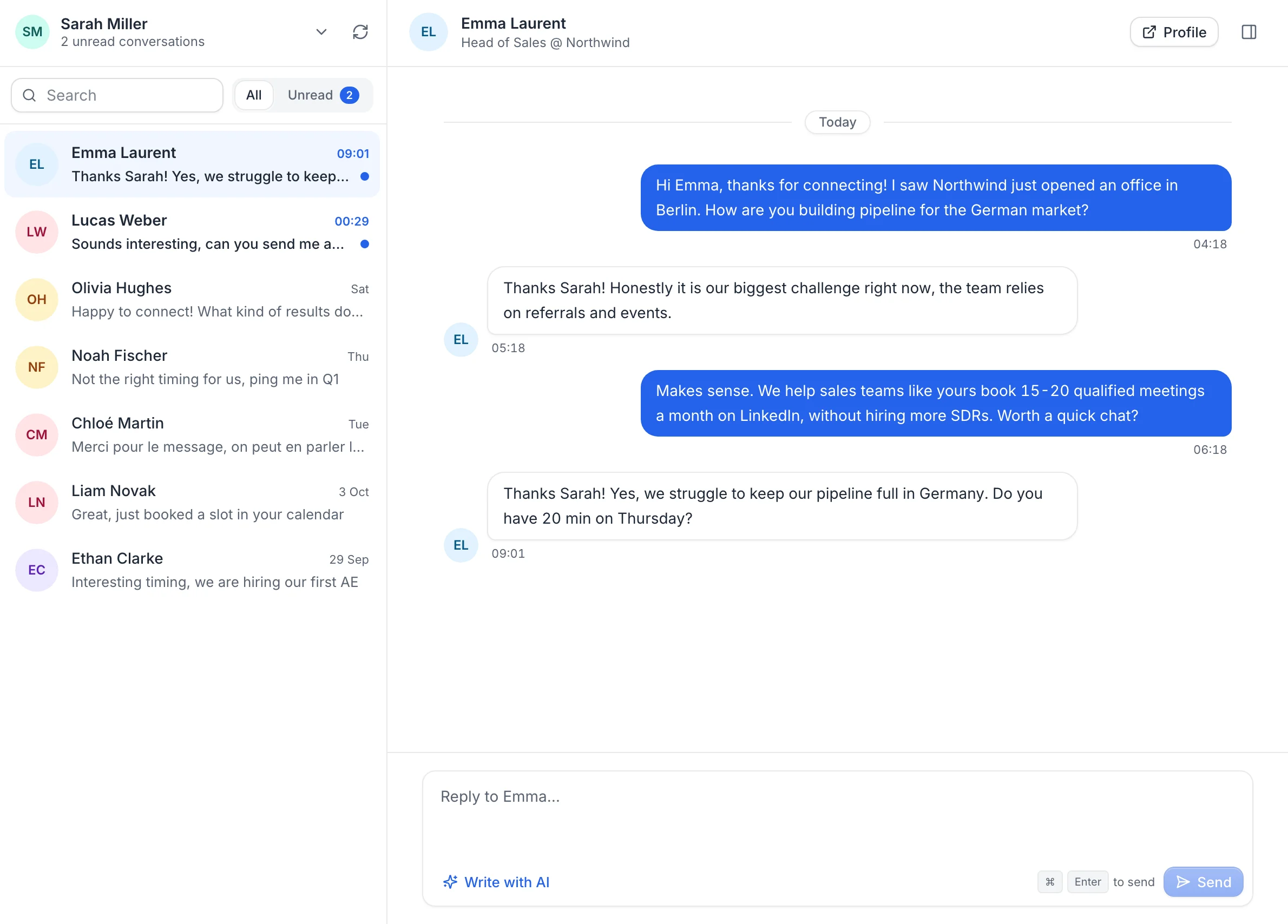
Stops as soon as Emma replies
Trusted by 15,000+ founders, sales teams and agencies
G2
200+ reviews
Chrome Web Store
490+ reviews
Capterra
200+ reviews
AppSumo
300+ reviews
How it works
From a lead list to a running campaign in minutes
1Step 1
Add your leads
Find them in the lead finder, import a LinkedIn or Sales Navigator search with the Chrome extension, or upload a CSV. Add verified emails if your sequence has email steps.
2Step 2
Build your sequence
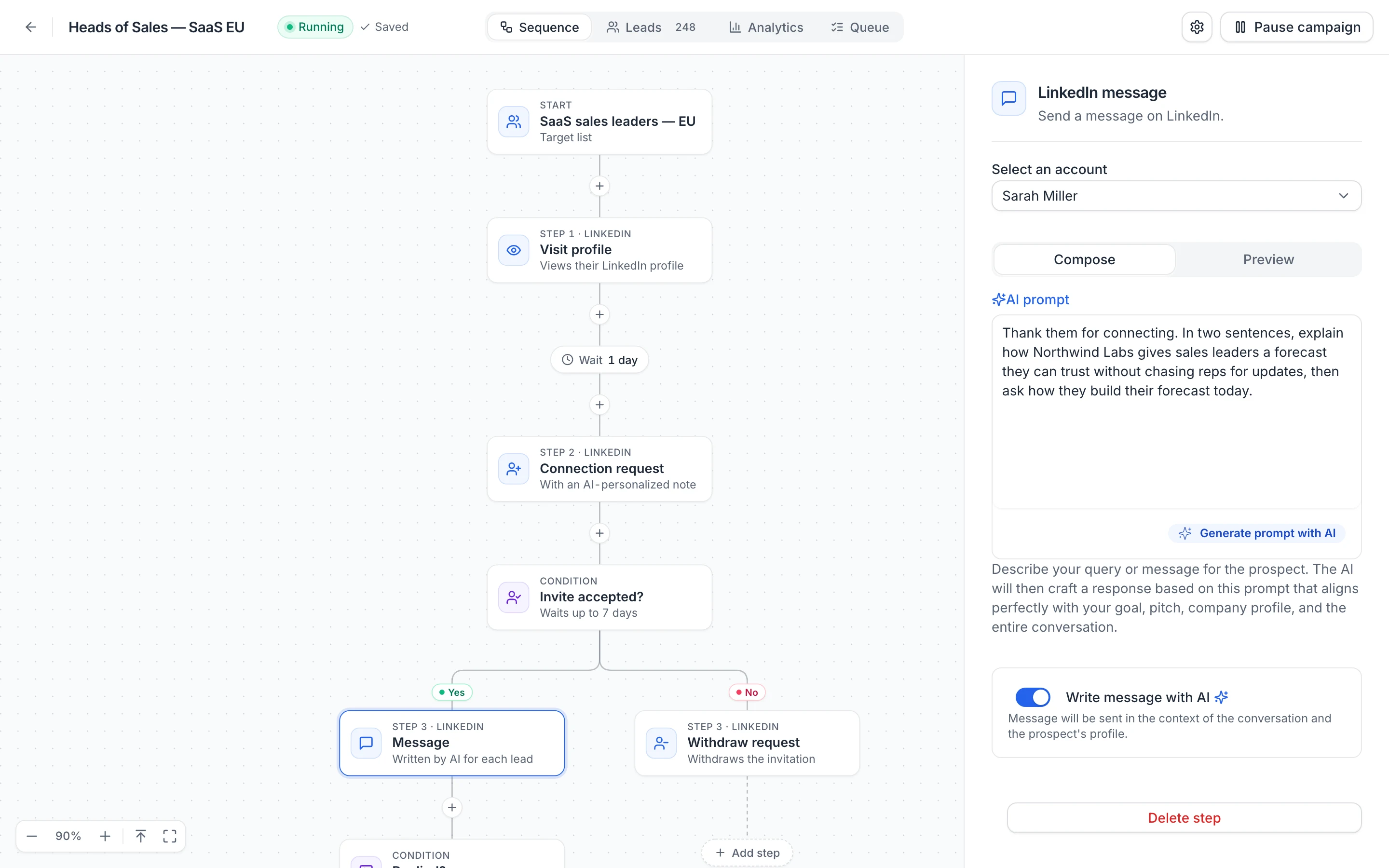
Start from the ready-made sequence or build your own: visits, invitations, messages and emails, with branches for accepted invitations and replies. Let the AI write each message.
Mon–Fri, 9:00–18:00
25 invitations a day
Keeps running with your computer off
3Step 3
Launch and follow the replies
Set your working hours and daily limits, then launch. Your campaign runs in the cloud, stops for each lead who replies, and every LinkedIn conversation lands in your inbox.
Sequence builder
LinkedIn and email steps in one visual sequence
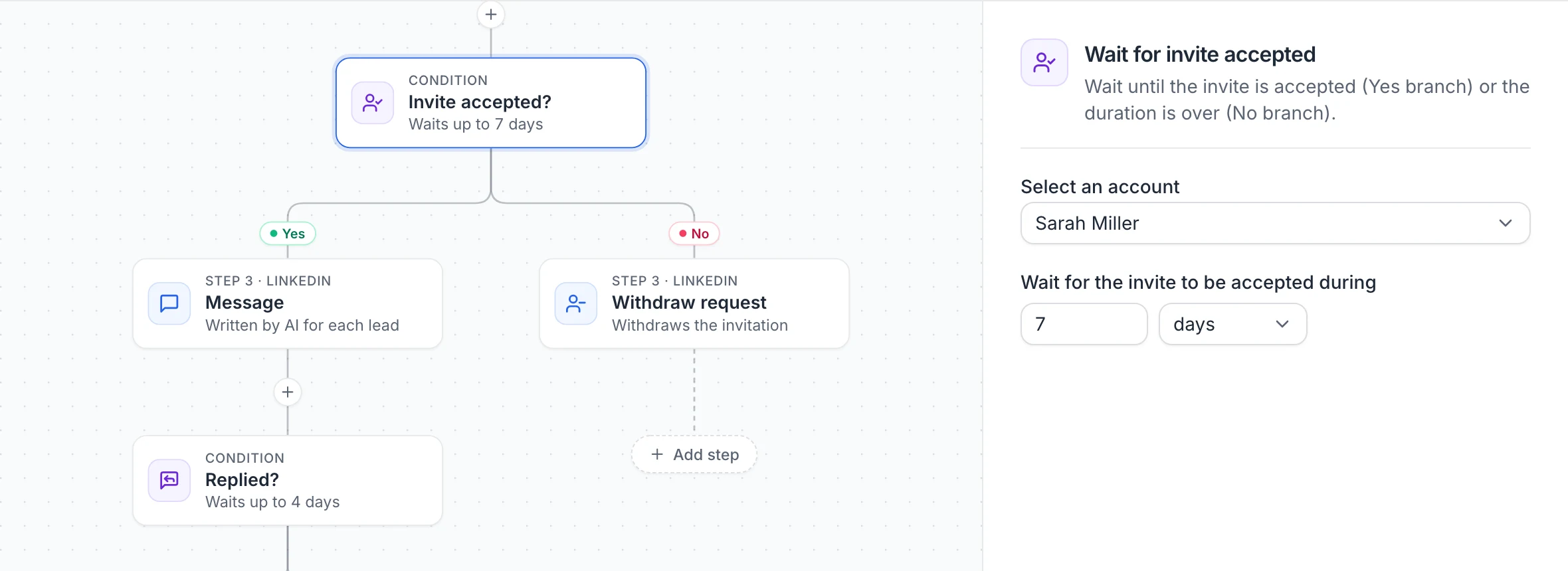
Add steps from a menu and see the whole sequence on one canvas. Waits and conditions split it in two branches, so a lead who accepts can get a message and one who doesn't an email instead.
- Profile visits, invitations, messages, post likes and withdrawals
- Email steps from Gmail, Outlook or any SMTP mailbox
- Wait for an accepted invite, a reply, an open or a click
AI-written messages
A different note and message for each lead
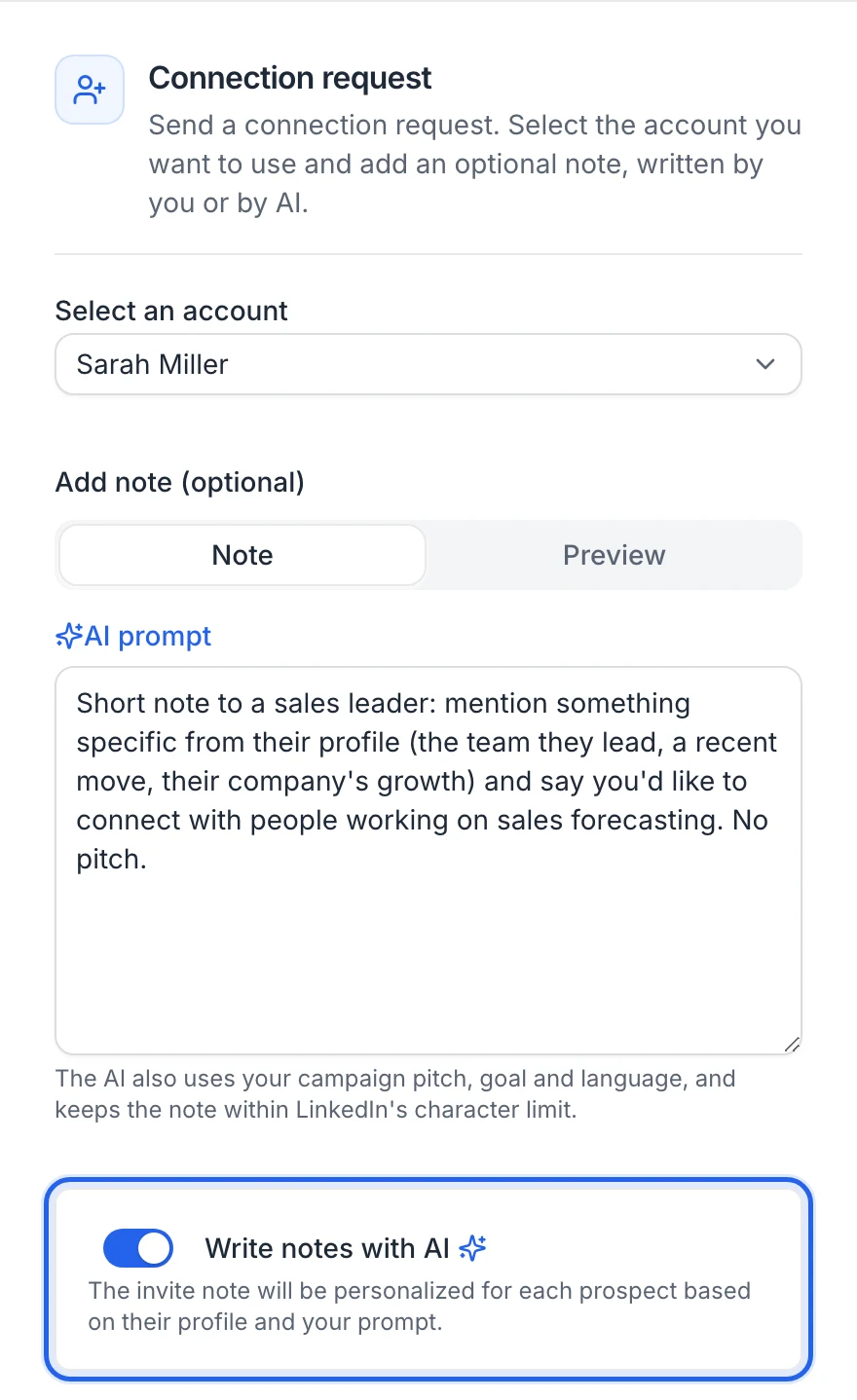
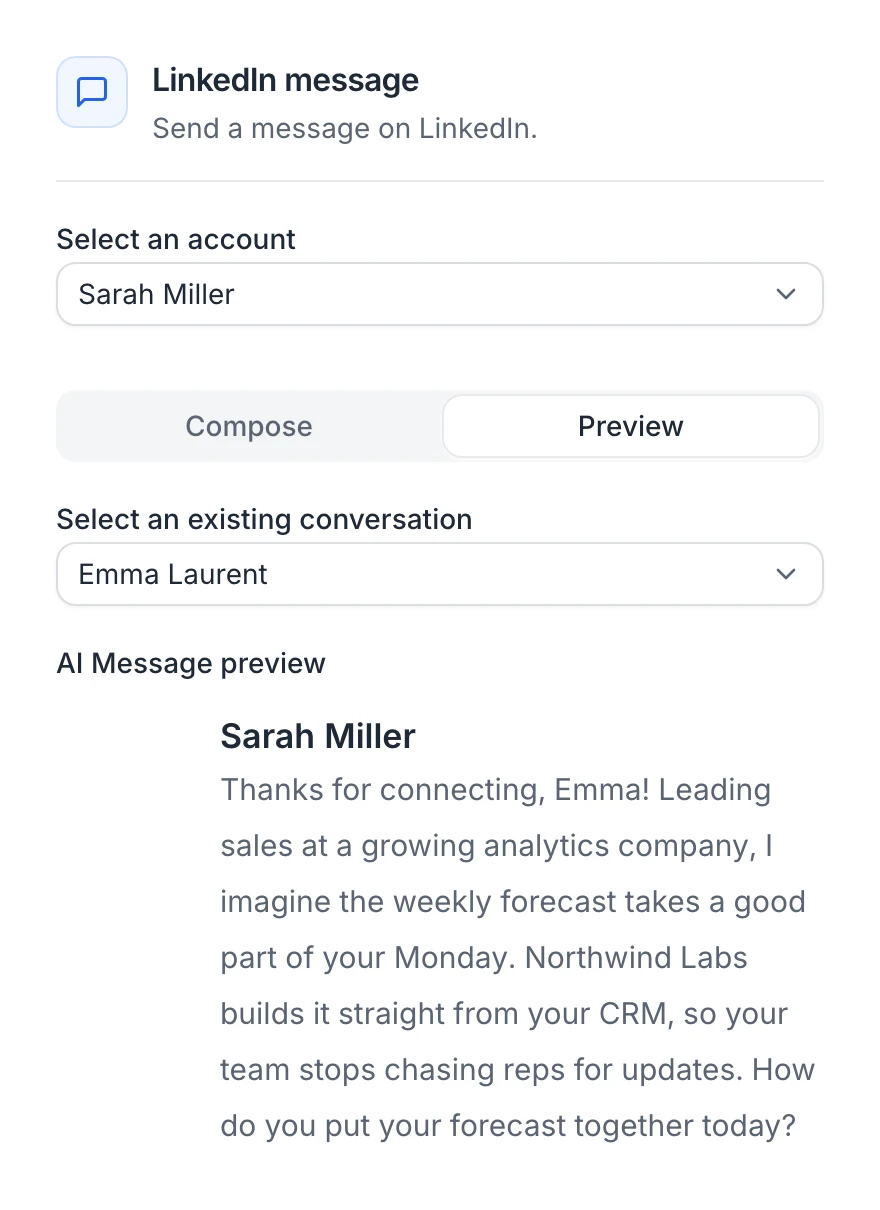
Describe what a step should say in a short prompt. The AI reads each lead's LinkedIn profile, your offer and the conversation so far, and writes a new text for every lead, in the language of your campaign.
- Connection notes that fit LinkedIn's character limit
- Preview what the AI writes before you launch
- Or write it yourself, with variables like {firstname}
Replies and inbox
The sequence stops when they reply
By default, a reply stops the lead's sequence, so nobody gets a follow-up after answering. The AI reads and tags every reply, and you answer from the inbox, with an AI draft if you want one.
- Replies tagged interested, not interested, later or wrong person
- The LinkedIn conversations of every connected account
- An AI auto-reply step can answer leads for you on LinkedIn
Several LinkedIn accounts
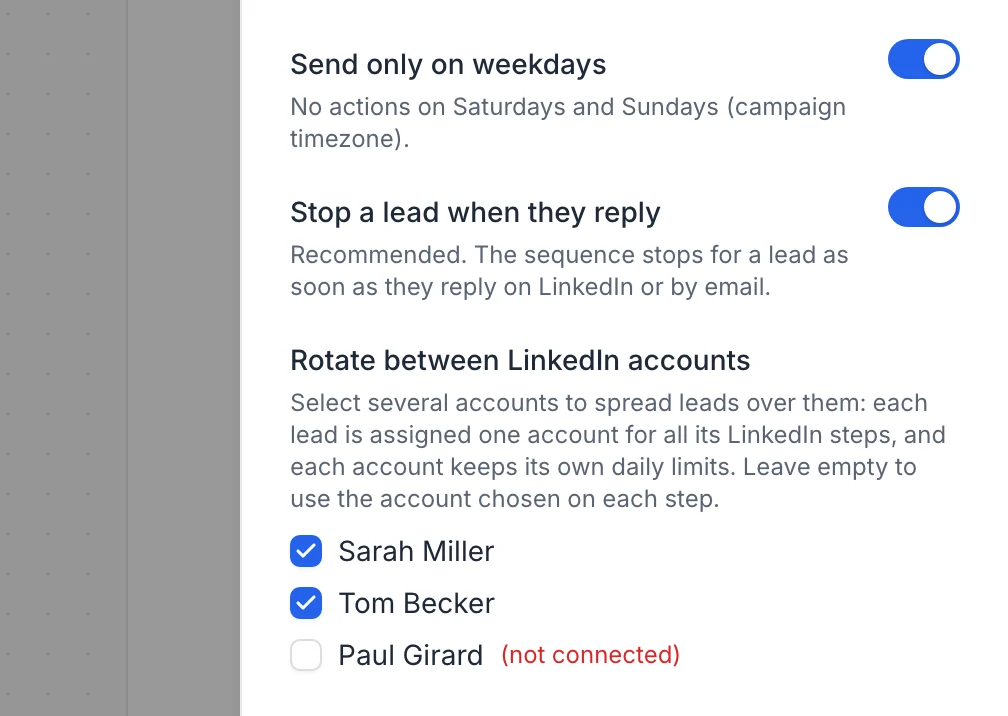
Send from several accounts in one campaign
Connect the LinkedIn accounts of your team and rotate leads between them. Each lead keeps one sender for all its steps, and each account keeps its own daily limits, so you get more volume without pushing any single profile.
- 2 LinkedIn accounts on Starter, 5 on Scale, 10 on Agency
- Pick one account per step, or rotate between senders
- New leads go to the least busy account
AI agent
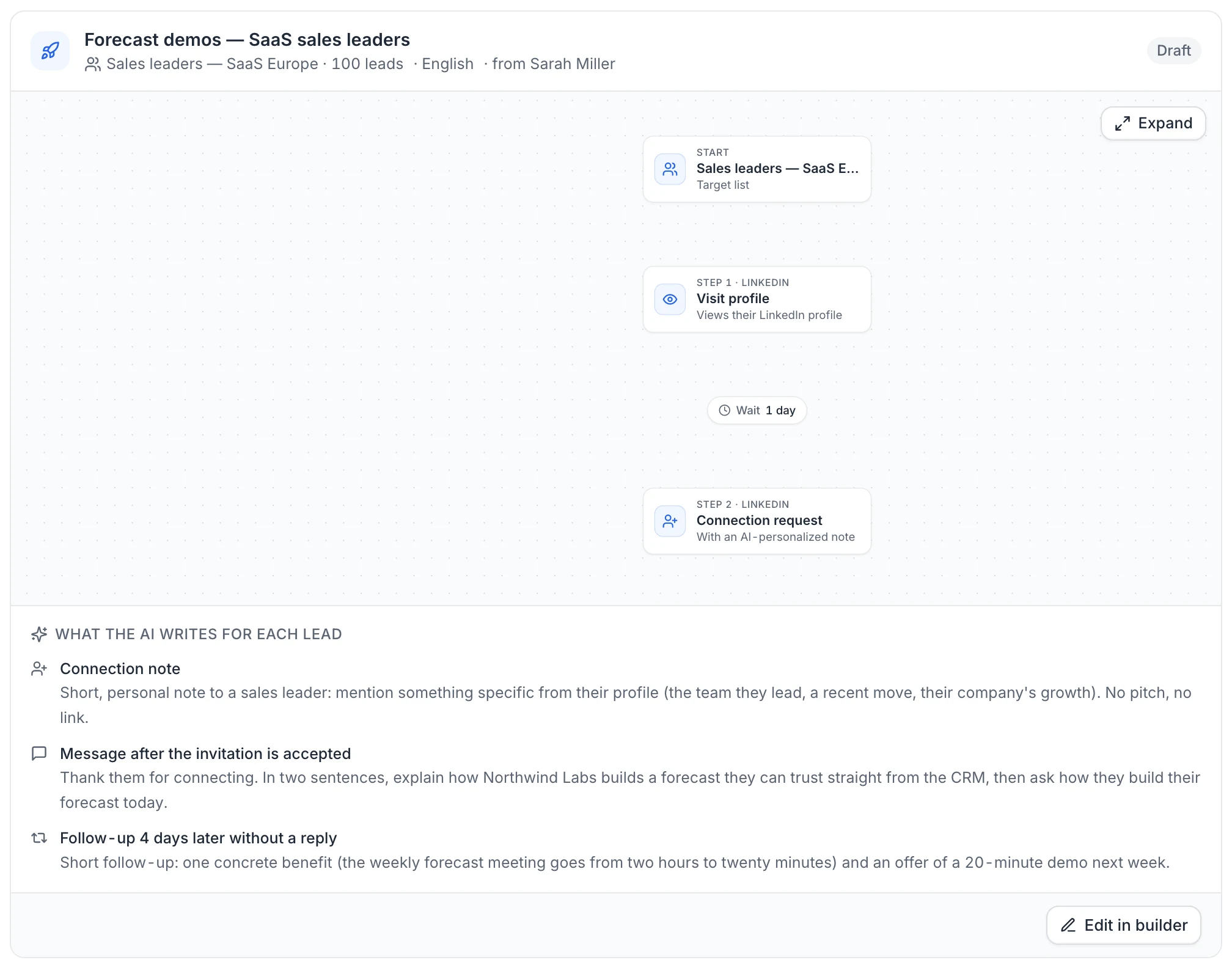
Tell the AI agent who to reach, then approve
Describe what you sell in plain language. The agent proposes target segments, finds the people, saves them to a list and prepares a LinkedIn campaign with AI-written messages. Nothing goes out until you approve it.
- Target segments based on your offer and your website
- Leads from a database of millions of B2B profiles
- A draft campaign you can edit in the builder
Account safety
Built to keep your LinkedIn account safe
Every account has its own daily limits, shared by all your campaigns. useArtemis paces actions like a person would and starts new accounts slowly.
Sending limits
Warm-up of a new account
40%
First 3 days
60%
Days 3–7
80%
Days 7–14
100%
After 14 days
Mon–Fri, 9:00–18:00, spread over the day
Runs in the cloud
Campaigns keep running when your computer is off. There's no browser tab to keep open.
Working hours and a human pace
Actions only go out during your working hours and days, spread over the day with random gaps instead of a burst.
Warm-up for new accounts
A newly connected account starts at 40% of its limits and reaches 100% after two weeks.
Secure LinkedIn login
You connect through a secure LinkedIn login page. useArtemis never sees or stores your password.
Campaign tracking
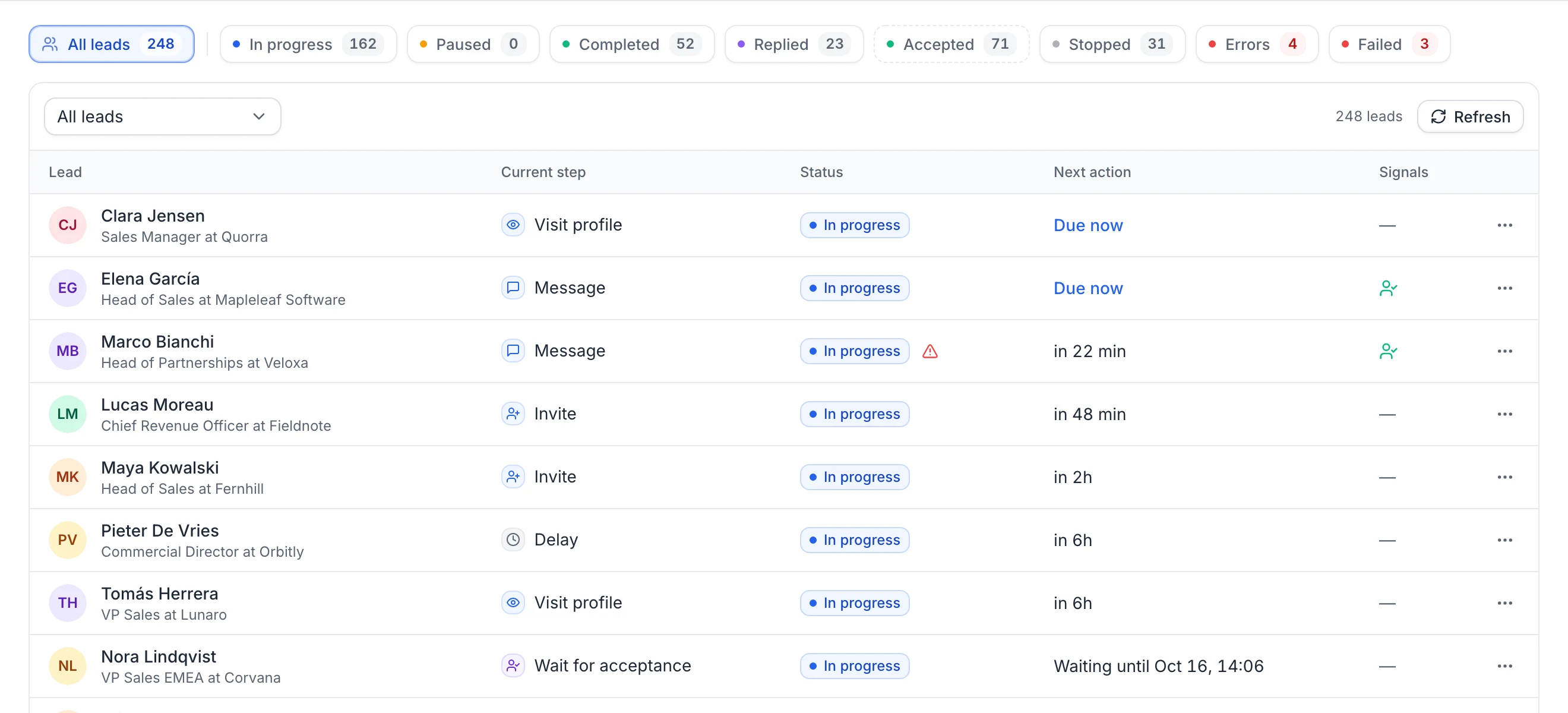
See where every lead is
The Leads tab shows each lead's current step, their next action and what happened: accepted invitations, replies and how the AI read each reply.
2–10
LinkedIn accounts per plan
25/day
invitations per account by default, up to 100
14 days
of warm-up for new accounts
0
credits used by campaigns
Customers
Teams love useArtemis
“Best value lead tool on the market right now. I love using useArtemis to scrape LinkedIn: it saves me tons of time to find and verify email addresses.”
Kazuki O.Co-Founder, Markester · via G2“What I like best is its ease of use. The UX is intuitive and keeps improving. Knowing the team continues to improve the product is a great comfort.”
Jefferson T.Acquisitions & Development · via G2“Finding emails from just a LinkedIn profile URL is a big advantage. The accuracy is very good for the price, and the direct dials are a great bonus.”
Ankita T.Assistant Marketing Manager · via G2All in one place
Do more with your leads
Find, qualify and reach your prospects from one workspace.
FAQ
LinkedIn automation questions
Can't find what you're looking for? Visit the help center.

Start your first LinkedIn campaign today
Build a sequence, let the AI write each message and follow every reply from one place.