What email statuses mean
Verified, Catch-all, Risky, Invalid, Unverified, Not found: what each email status in useArtemis means and which addresses you can safely email.
Updated October 13, 2026
On this page
Every email in useArtemis comes with a status that tells you how sure we are that it reaches a real mailbox. Send to Verified (or Valid) addresses, be careful with Catch-all and Risky ones, and never send to Invalid ones.
In lead lists, lead profiles and the inbox
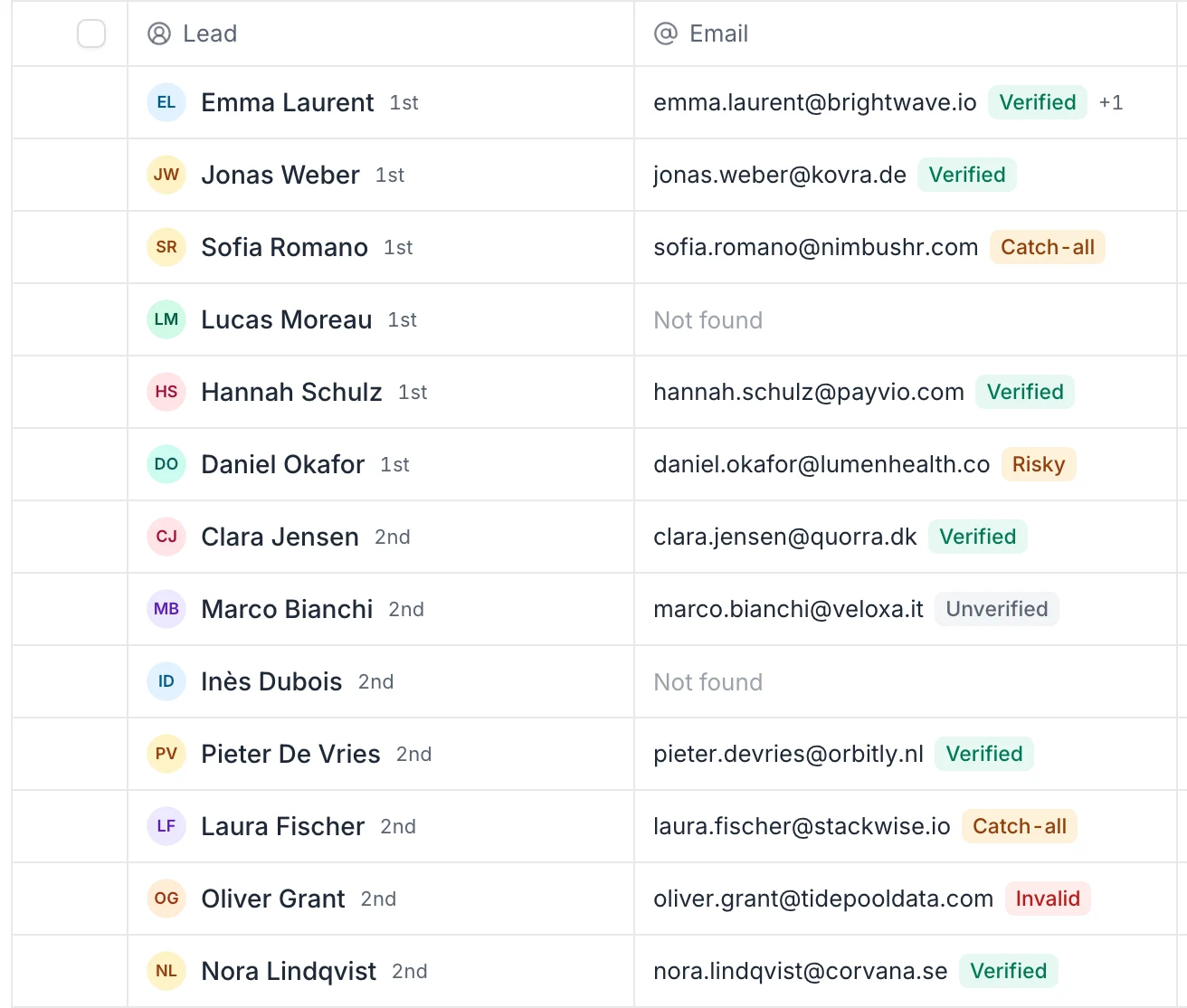
When you run Find emails on a list, each email gets a colored status. You see it next to the address in the list's Email column, in the lead profile and in the lead panel of the inbox.
| Status | What it means | What to do |
|---|---|---|
| Verified (green) | The address was confirmed as deliverable. | Send. |
| Catch-all (amber) | The company's domain accepts mail for any address, so this mailbox can't be confirmed. It may or may not exist. | Send with care, in small volumes. |
| Risky (amber) | The address might exist but couldn't be confirmed. | Send with care, or check it again in the Verifier later. |
| Invalid (red) | The address doesn't exist or can't receive mail. | Don't send: it would bounce. |
| Unverified (gray) | We don't have a verification result for this address, for example because it came from your CSV file or the check was inconclusive. | Check it in the Verifier before sending. |
Two other labels can appear in the Email column instead of an address:
- Not found: we searched and didn't find an email for this lead.
- Searching…: the search is still running.
When a lead has more than one email, the column shows the first one and a "+1" (or more) counter. Hover the counter to see the other addresses.
In the Verifier
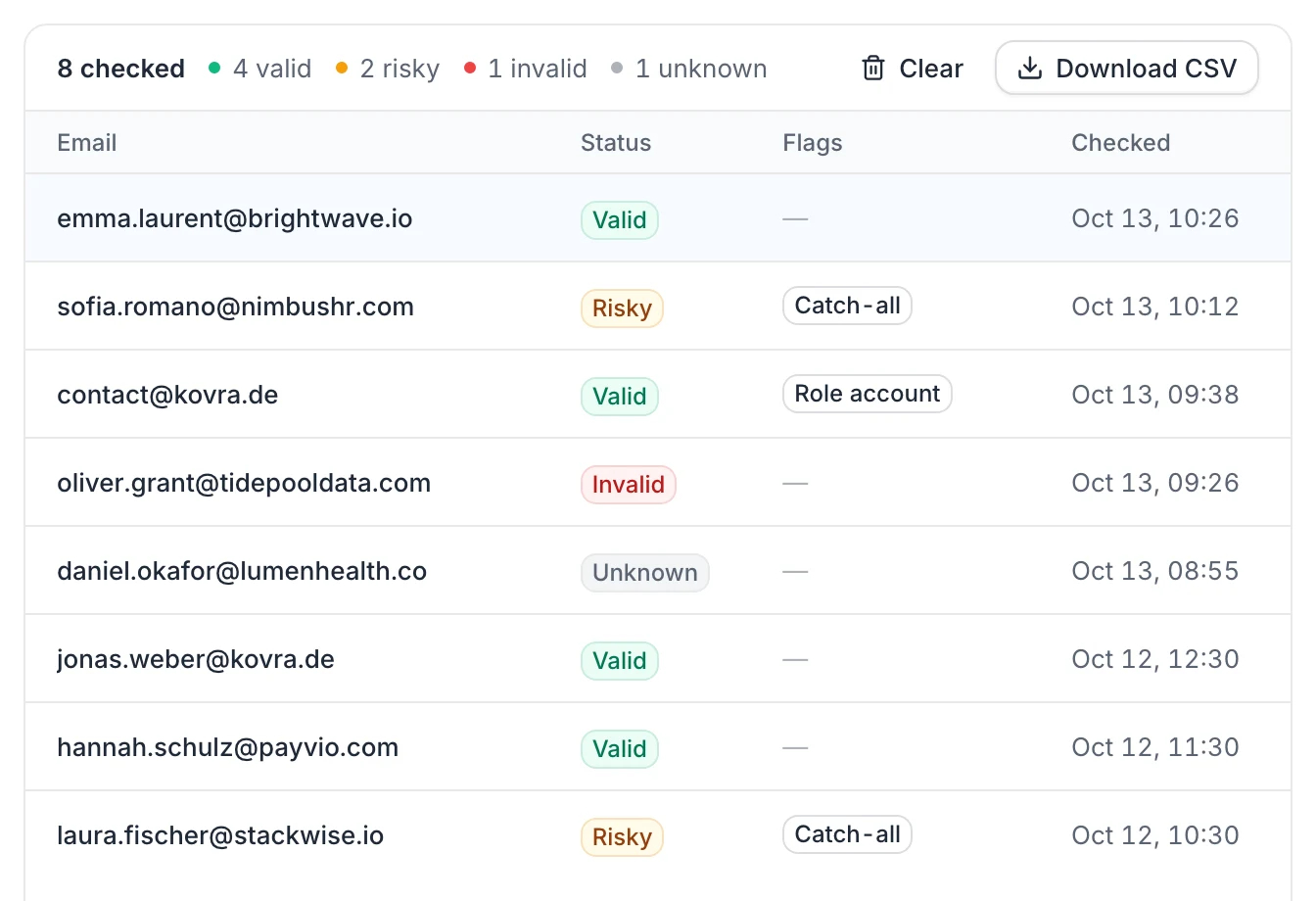
The Verifier uses its own four statuses:
| Status | Meaning |
|---|---|
| Valid | This address exists and can receive emails. Safe to send. |
| Risky | The address might exist but couldn't be fully confirmed (catch-all domain, full mailbox or temporary error). Send with care. |
| Invalid | This address doesn't exist or can't receive emails. Don't send to it: it would bounce. |
| Unknown | The mail server didn't give a clear answer. Try again later. |
It can also add flags:
- Catch-all: the domain accepts every address. An accepted address on a catch-all domain is marked Risky, not Valid.
- Disposable: a temporary email service. Always Invalid.
- Role account: a shared address (contact@, sales@, info@, support@…). The status isn't changed, but these rarely reach the person you want.
An address on a domain that has no mail server (often a typo in the domain) is Invalid.
In Discover
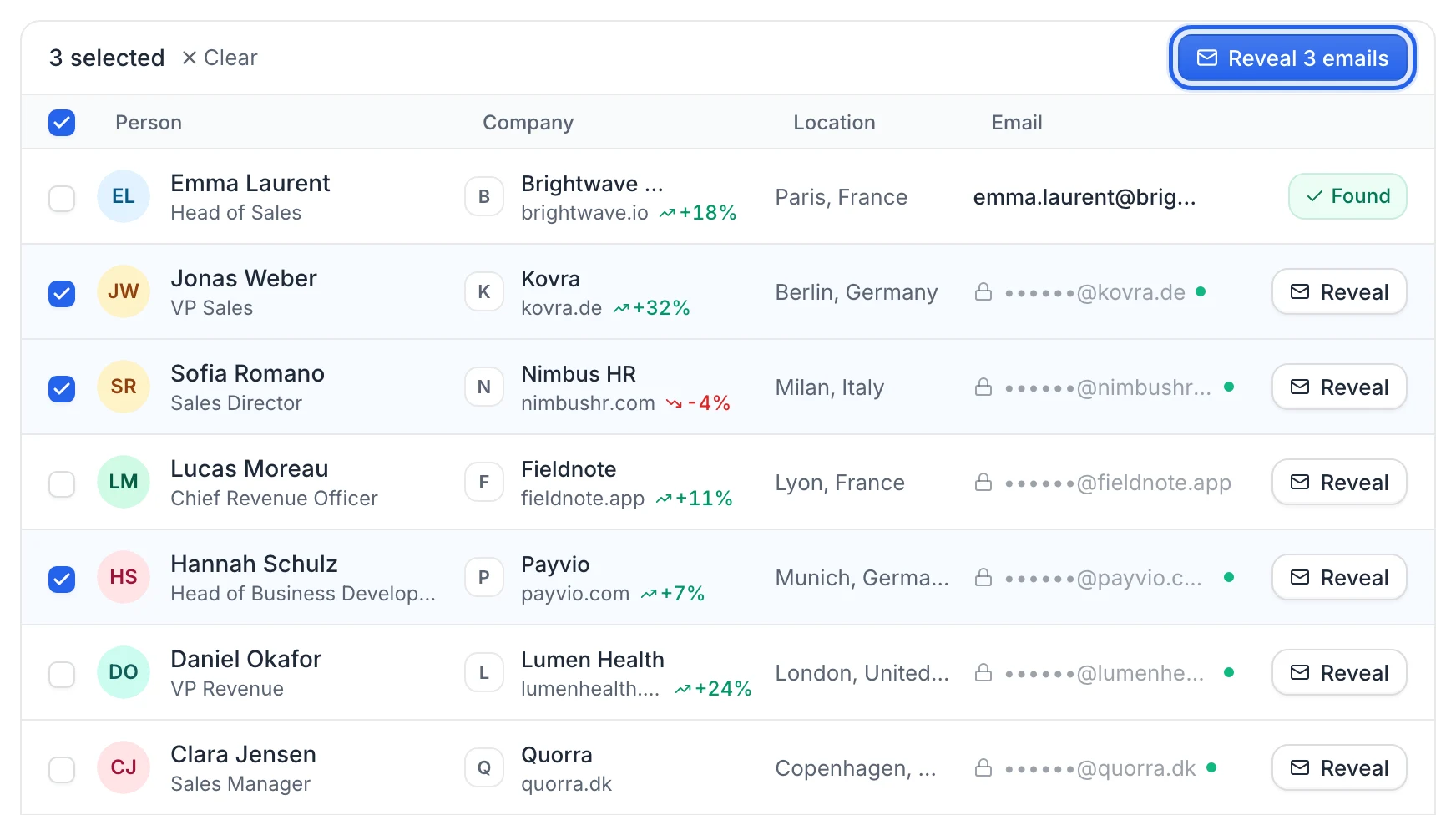
Before you reveal an email in Discover, it's hidden (••••••@company.com). A green dot next to it means Verified email available. Once revealed, the row shows Found. See Find leads with Discover.
In the Finder
The Finder shows a Confidence percentage instead of a status: green for high (80% and above), amber for medium (50 to 79%), gray for low (under 50%). It tells you how likely the address is to be right, but it isn't a mailbox check. See Find emails at a company with the Finder.
Which emails should you send to?
- Send: Verified and Valid addresses.
- Send with care: Catch-all and Risky addresses. Many are real, but some bounce. Keep them to small volumes and watch your bounces.
- Check first: Unverified and Unknown addresses. Run them through the Verifier (1 credit each).
- Don't send: Invalid addresses.
Bounces hurt your sender reputation, which affects all your emails. See Sending limits and deliverability.
FAQ
Why is an email Catch-all and not Verified?
Some companies set their mail server to accept every address, even ones that don't exist. On those domains, nobody can confirm a mailbox from the outside, so the best status we can give is Catch-all (or Risky in the Verifier).
I imported emails from a CSV. Why are they Unverified?
We keep the addresses from your file as they are, without checking them. Paste them in the Verifier to check them before a campaign.
Does a Verified email guarantee my message arrives?
It guarantees the mailbox exists at the time of the check. Whether your message lands in the inbox or in spam also depends on your mailbox setup and sending habits.
Was this article helpful?
Related articles
Still need help?
Write to hello@useartemis.co with your account email and what you were trying to do.